
How to Fix Tech Neck: Screen Height, Breaks, Posture
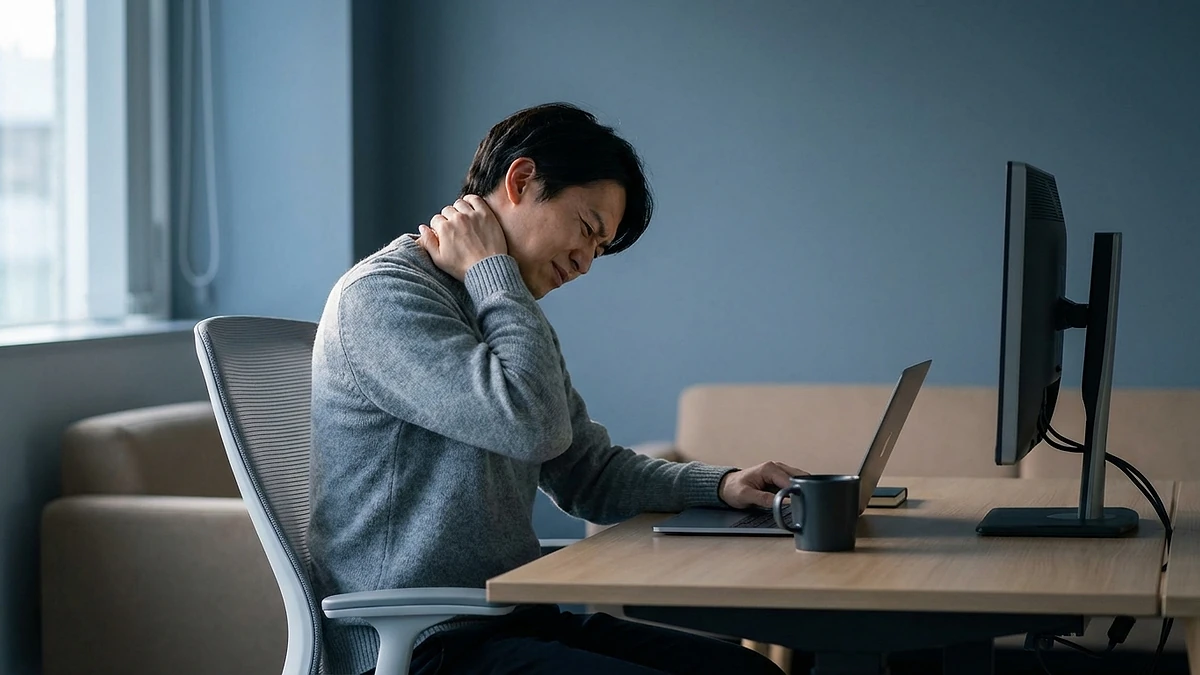
If your neck aches by mid-afternoon, your upper back feels tight, and you catch yourself with your chin jutting forward toward a laptop or a phone in your lap, you are dealing with the everyday problem people call tech neck. Learning how to fix tech neck is mostly about one unglamorous change: the screen you stare at all day sits below your eye line, so your head drops forward to meet it, and the muscles down the back of your neck spend hours holding that weight.
This guide is honest about what actually moves the needle and what does not. The fix is raising your screen to eye level, breaking up long stretches of looking down, and a little gentle strengthening over time. We sell a neck support pillow, and we will be straight with you: a pillow helps you rest and recover, but it is a comfort and posture aid, not a posture cure and not a medical device. Treat everything below as a framework you can judge against your own situation, ours included.
What tech neck is and why it happens
Tech neck is the strain you feel when your head spends long periods tilted forward and down, usually toward a phone, tablet, or low laptop. Your head is heavy, and the further it drifts in front of your shoulders, the harder the muscles at the back of your neck and upper back have to work to stop it dropping. Hold that for hours a day and you get aching, stiffness, and tension that the NHS describes as common and usually linked to posture and how you hold your neck.
The root cause is simple geometry. When a screen sits below eye level, you tilt your head down to read it. A phone held at waist height is the worst offender, but a laptop flat on a desk is close behind, because its screen is fixed low and you cannot raise it without lifting the keyboard out of reach. OSHA's workstation guidance is explicit that the top of the monitor should sit at or just below eye level so you look slightly downward with your head roughly upright, rather than craning forward and down.
It helps to separate two things. The forward-head position is the cause; the neck ache is the symptom. A pillow, a massage, or a stretch can ease the symptom for a while, but if the screen stays low your head keeps dropping back into the same position the moment you start working. That is why the durable fix has to address the geometry first.
The core fix: raise the screen to eye level
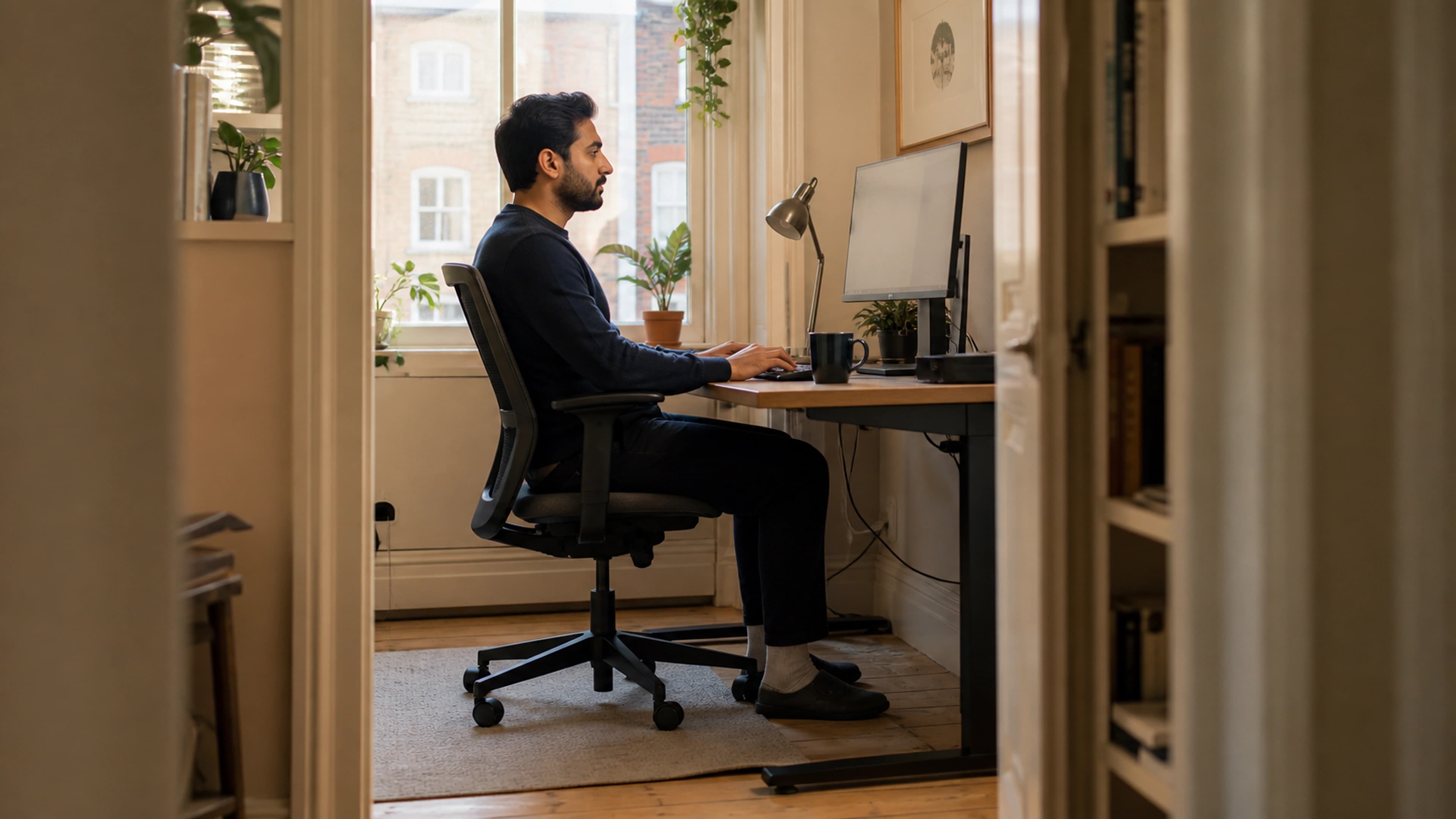
The most effective change is to raise your main screen so its top edge sits at or just below eye level, then sit back and look slightly downward with your head balanced over your shoulders. This keeps your neck close to neutral instead of tilted forward for hours.
That forward tilt is the position that creates the strain in the first place, so everything else here is secondary to getting screen height right. Fix the geometry, and the breaks, stretches, and rest below have far less to undo.
For a desktop monitor, raise it on a stand, an arm, or a stack of books until the top edge is roughly at eye level and it sits about an arm's length away. OSHA's monitor guidance puts the top of the screen at or slightly below eye level and the viewing distance around an arm's length, adjusting closer or further based on screen size and your eyesight.
Laptops are the harder case, because raising the screen lifts the keyboard out of a comfortable typing position. The fix most people skip is to raise the laptop on a stand so the screen reaches eye level, then add an external keyboard and mouse so your arms stay low and relaxed. Without that, you are forced to choose between a low screen that wrecks your neck and a high keyboard that strains your shoulders and wrists. Cornell's ergonomics guidance treats screen height and arm position as one connected setup for exactly this reason.
While you are at it, get the rest of the chair and desk in order so your spine is supported from the base up. If you are not sure your chair is doing its job, our walkthrough on proper sitting posture at a desk covers seat height, back support, and screen distance as one connected setup rather than isolated fixes.
Cut phone-down time and add micro-breaks
Raising your work screen handles the desk, but most tech neck is built up on phones, and you cannot mount a phone at eye level all day. Here the fix is behavioural: spend less time looking sharply down, and break up the time you do.
Two small habits help more than they sound. First, raise the phone instead of dropping your head. Bringing the phone up toward your eye line, even partway, cuts the angle your neck has to hold, especially during long scrolling or reading sessions. Second, build in micro-breaks. The point is not a formal exercise routine; it is simply not staying frozen in one forward-leaning position for an hour at a time. Looking up, rolling your shoulders, and changing position for a few seconds resets the muscles before they tighten.
Movement matters beyond the neck too. The NHS is clear that long unbroken stretches of sitting and screen time are worth breaking up, and the same logic applies to staying locked in any one posture. A reasonable target is to look up and change position every 20 to 30 minutes, and to stand and walk for a minute or two each half hour or so. If you want a structured version, our guide to building a micro-break routine turns this into something you will actually keep doing.
Simple strengthening and stretching
Once the screen is up and the breaks are in place, gentle movement helps the muscles cope with the hours you do spend at a screen. The aim is not athletic; it is to undo the forward-head position and keep the area mobile. None of this needs equipment, and you should stay well short of any movement that provokes sharp pain.
- Chin tucks. Sitting tall, gently draw your chin straight back so your head moves over your shoulders, hold for a few seconds, then release. This trains the position that counters forward-head posture.
- Shoulder-blade squeezes. Draw your shoulder blades gently down and back, hold briefly, and relax. This opens the upper back that rounds forward over a low screen.
- Slow neck rotations. Turn your head slowly toward each shoulder within a comfortable range, never forcing it. The goal is easy mobility, not a deep stretch.
- Upper-trapezius stretch. Gently tip one ear toward the same shoulder until you feel a mild stretch along the opposite side of your neck, then ease off and switch sides.
Treat these as little and often rather than one long session. The honest caveat is that the evidence here is modest: gentle exercise and keeping the neck moving are widely recommended for ordinary neck pain, and the NHS lists them among self-care measures, but no single stretch is a guaranteed cure. They support the bigger fixes; they do not replace raising the screen.
Workstation fixes first, bed support at night
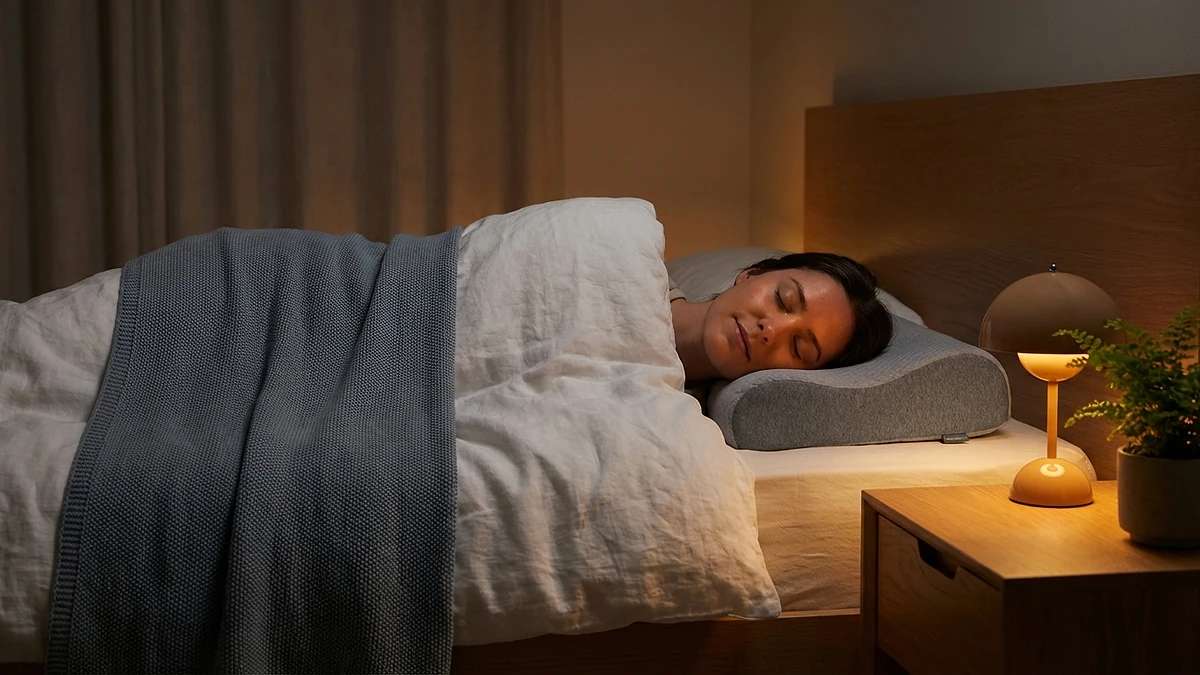
CloudArc and WaveRest are fixed-profile pillows for lying down in bed. Neither is designed to attach to an office chair, hold the head upright in a vehicle, or replace a travel pillow.
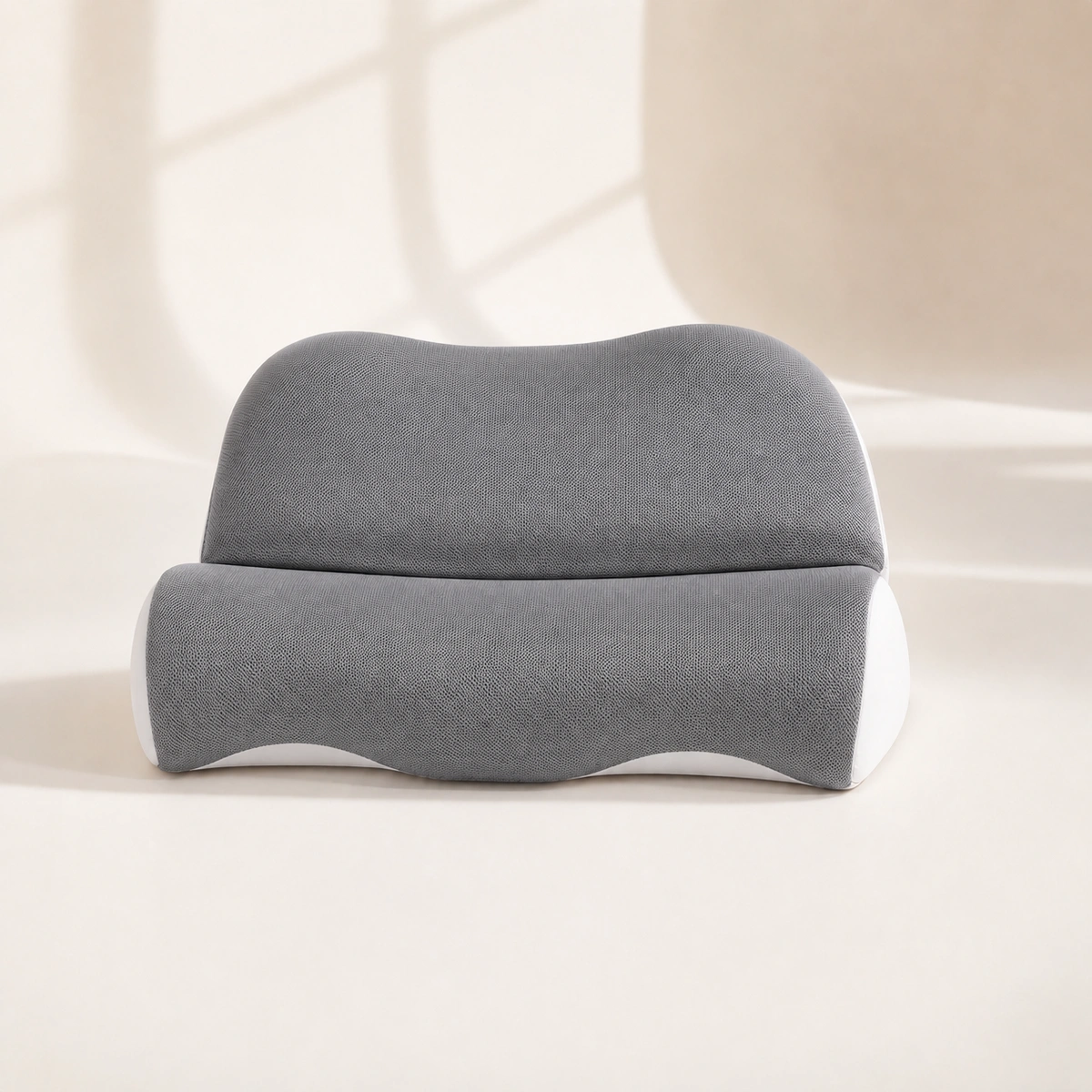 Product mentioned in this guideCloudArc Neck PillowTwo-component 52 × 35 cm neck-pillow system with separate head-cradle and cervical-bolster pieces, fixed 6/10 cm zones, slow-rebound polyurethane foam,…Free US shipping on every order60-Day Home Trial · we pay return shippingSee current price
CloudArc Neck Pillow is a 52 × 35 cm two-component bed system. Its separate 6 cm rear head cradle and 10 cm front cervical bolster are arranged from headboard to shoulders for back or side sleeping.
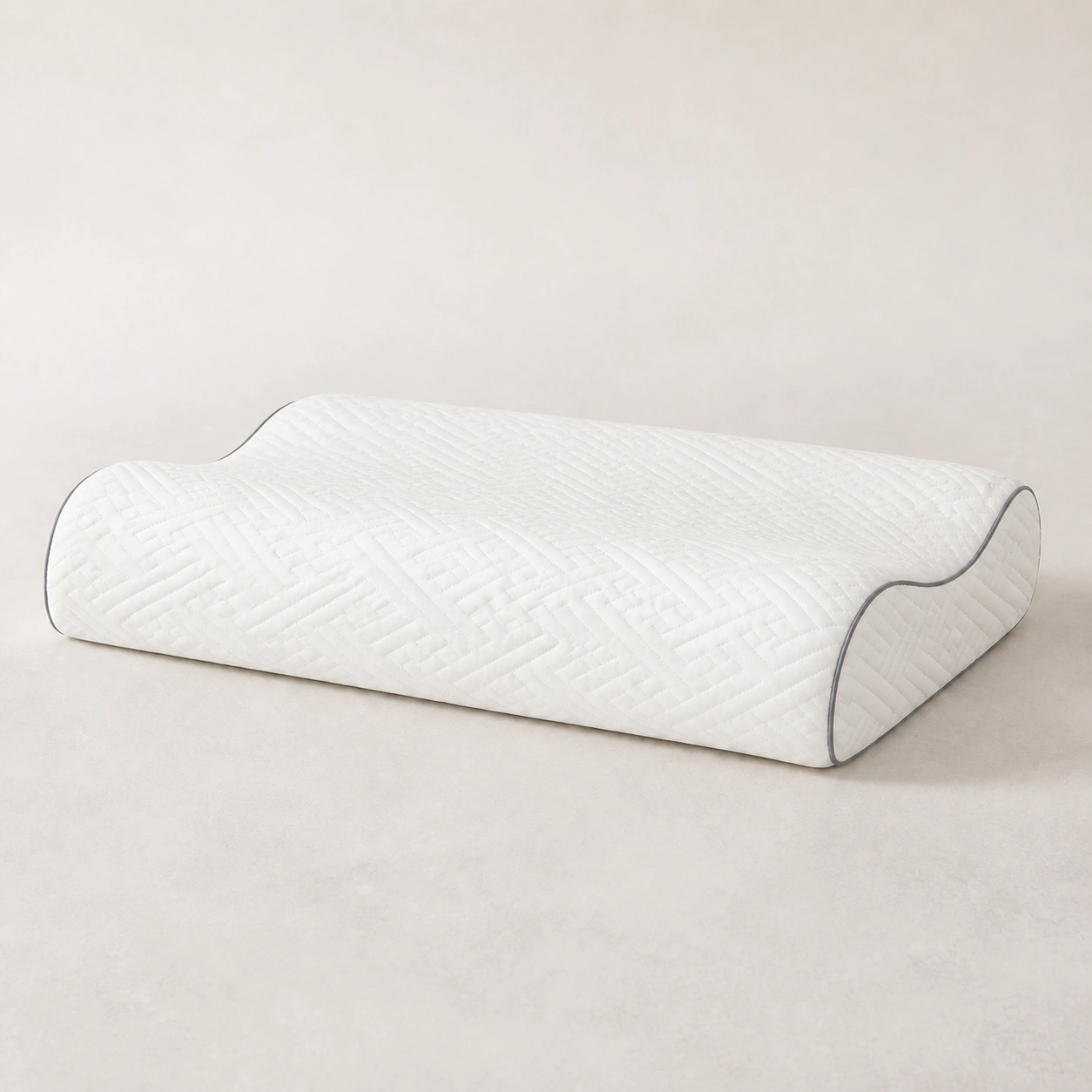 Product mentioned in this guideWaveRest Memory Pillow60 × 35 cm wave pillow with a choice of fixed low 7/9 cm or high 9/11 cm edges, polyurethane memory foam, a lyocell-fiber exterior, and removable zip…Free US shipping on every order60-Day Home Trial · we pay return shippingSee current price
WaveRest Memory Pillow is a 60 × 35 cm low-profile bed pillow with fixed 9 cm and 7 cm full-width edge rolls around a broad shallow trough. Rotate the whole pillow to try either edge; the heights are not adjustable.
When to see a professional
Most tech neck is ordinary muscular strain that eases once the screen is up, the breaks are in, and you move more. Some symptoms are not, and a pillow or a stretch is the wrong response to them. See a doctor or other healthcare professional, rather than waiting it out, if any of the following apply.
- Pain after trauma. Neck pain that follows a fall, a car accident, or any blow to the head or neck needs prompt assessment.
- Numbness, tingling, or weakness. Pins and needles, numbness, or weakness spreading into an arm or hand can point to a nerve being involved.
- Progressive or severe symptoms. Pain or weakness that keeps getting worse rather than settling, or that is severe, should be checked.
- Loss of coordination or bladder or bowel control. Problems with balance, coordination, or controlling your bladder or bowels alongside neck symptoms need urgent medical attention.
- Systemic warning signs. Fever, unexplained weight loss, or feeling generally unwell with your neck pain warrant a professional opinion.
To be plain: our products are comfort and posture aids, not medical devices, and nothing in this article diagnoses or treats a condition. If your situation matches any of the red flags above, get assessed by a professional first and treat the ergonomics advice here as a supporting measure, not a substitute.
The bottom line
The practical order remains the same: raise the screen, add movement breaks, and treat any bed pillow only as overnight comfort. Neither CloudArc nor WaveRest corrects working posture or supports upright travel.