
Ergonomic Desk Setup Measurement Checklist
Most ergonomic advice tells you to sit "comfortably" or position your monitor "at eye level" without ever giving you a number to aim for. That vagueness is why so many home and office setups feel almost right but still produce neck pain, sore wrists, and an aching lower back by the end of the day. The difference between a workspace that protects your body and one that slowly damages it usually comes down to a few centimetres.
This is a measurement-first checklist. Grab a tape measure and a free chair, and work through each section in order: chair, desk, monitor, keyboard and mouse, and footrest. Every step gives you a target range and a quick way to verify it on your own body. Dialling in an ergonomic desk setup takes about fifteen minutes once, and a thirty-second check each morning to keep it there.
Before You Measure: The Neutral Posture Baseline
Every measurement below is anchored to one idea: neutral posture. This is the position where your joints are aligned, your muscles are relaxed, and no single structure is bearing more load than it should. When you are in neutral posture seated, you should be able to check off all of the following:
- Feet flat on the floor or a footrest, with thighs roughly parallel to the ground
- Hips, knees, and ankles each at approximately 90 to 110 degrees
- Lower back supported so it keeps its natural inward curve (lordosis)
- Shoulders relaxed and down, not hunched up toward your ears
- Forearms parallel to the floor, wrists straight and not bent up, down, or sideways
- Head balanced over your shoulders, eyes looking slightly downward at the screen
The U.S. Occupational Safety and Health Administration (OSHA) uses this same neutral-posture model as the foundation of its computer workstation guidance. Hold this picture in your mind as you measure, because every number below exists to put one more joint into that relaxed, aligned position.
Step 1: Chair Height and Seat Depth
Your chair is the reference point for everything else. Set it first, because desk and monitor heights are measured relative to where your body sits.
Measure: Seat Height
Sit fully back in the chair with your feet flat on the floor. The correct seat height puts your thighs parallel to the ground and your knees level with, or very slightly below, your hips. For most adults this lands the seat surface between 40 and 53 centimetres from the floor, but your body is the real measure, not the number.
- Quick check: Slide a flat hand between the front edge of the seat and the back of your knee. You want it to pass with mild contact. If your hand is pinched, the seat is too high; if there is a wide gap, it is too low.
- If your feet dangle after raising the chair to meet a high desk, do not lower the chair and sacrifice arm position. Add a footrest instead (see Step 5).
Measure: Seat Depth
Seat depth is the distance from the backrest to the front edge of the seat. Sit with your back against the lumbar support, then look at the gap behind your knees. You want a clearance of two to three finger widths (roughly 2 to 5 centimetres) between the front edge of the seat and the back of your knees.
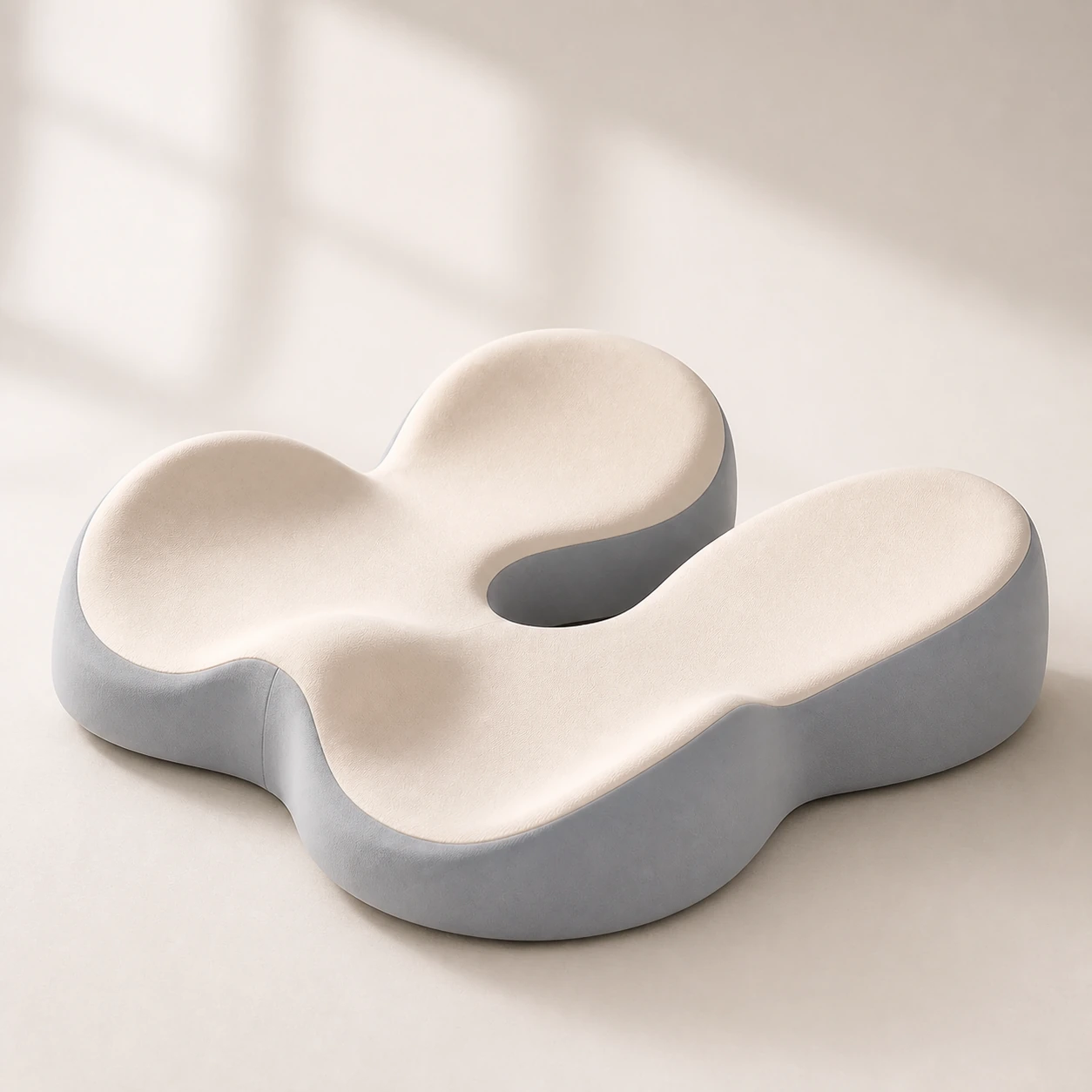 Product mentioned in this guideMemory Foam Seat CushionA sculpted seat cushion with a deep, open U-shaped rear channel designed to reduce direct contact beneath the coccyx and tailbone area. Raised rear…Free US shipping on every order60-Day Home Trial · we pay return shippingSee current price
Too much depth and you cannot use the backrest without your legs going numb; too little and your thighs get no support. If your chair has a seat-slide adjustment, set it now. If it does not and the seat is too deep, a memory foam seat cushion placed against the backrest effectively shortens the usable depth while improving pressure distribution.
Measure: Lumbar Support Height
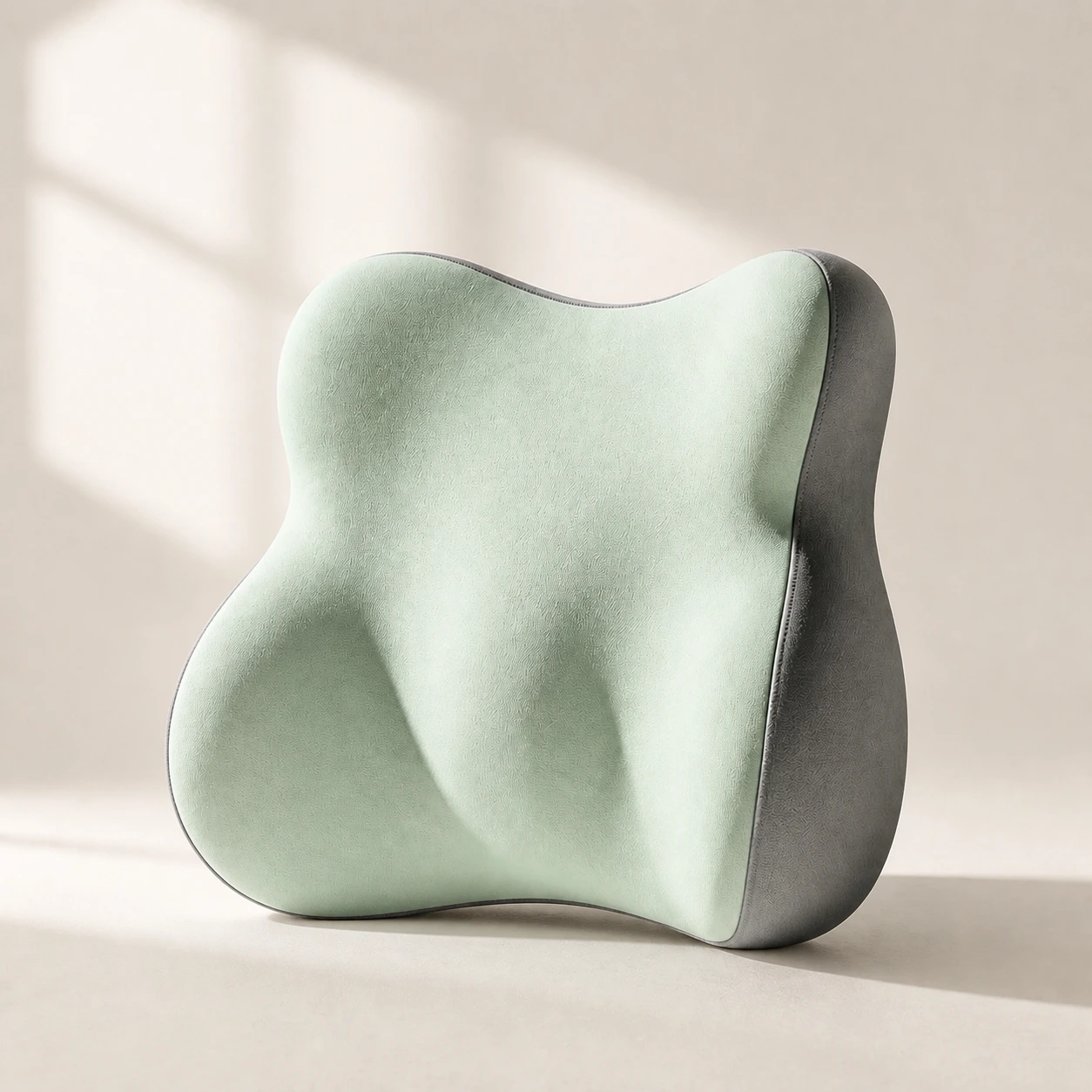 Product mentioned in this guideLumaWing Lumbar Cushion39 × 34 × 14 cm lumbar cushion available in four colours with a slow-rebound memory-foam core, fixed central ridge, recessed side channels, and broad outer…Free US shipping on every order60-Day Home Trial · we pay return shippingSee current price
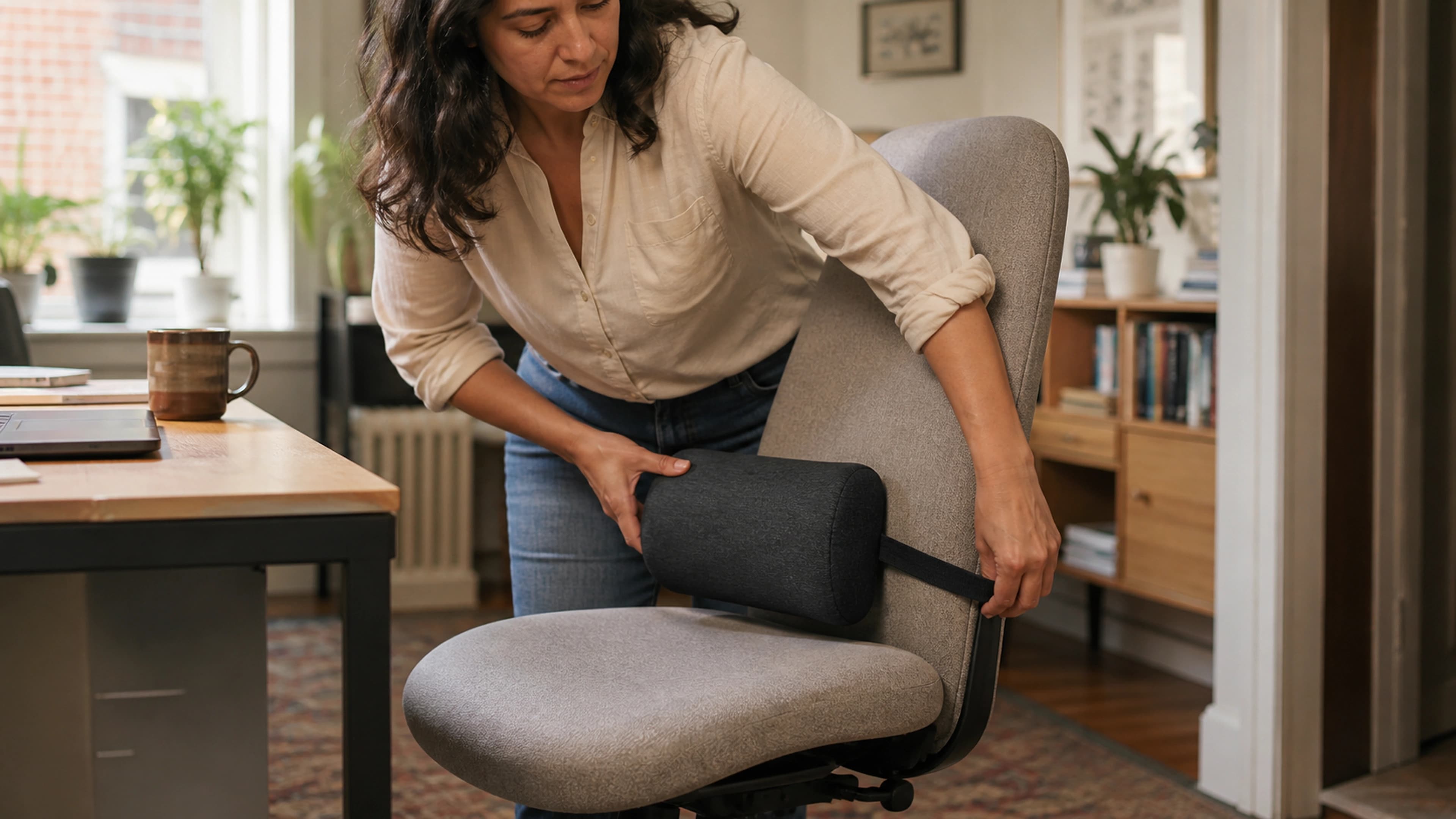
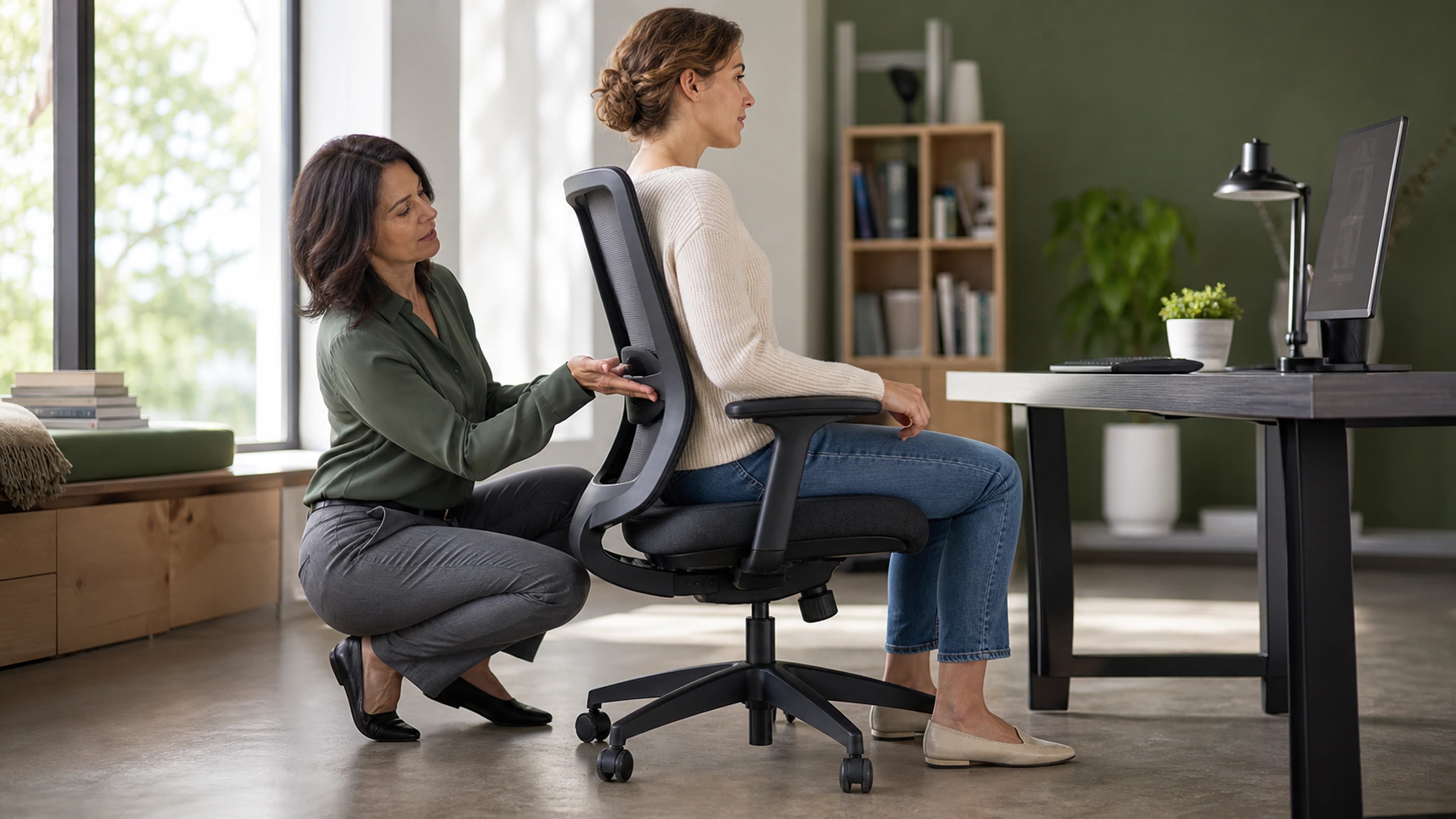
The apex of your chair's lumbar curve should sit at your belt line, roughly at the L3 to L4 vertebrae, which is the inward curve you feel when you place a hand on your lower back. On most adults this is 15 to 25 centimetres above the seat surface. If your chair's lumbar pad is fixed too low or absent entirely, an external lumbar support pillow positioned at belt height restores the curve and is the single most cost-effective fix for an unsupportive chair.
Step 2: Desk Height
With your chair set, the desk surface should meet your arms, not the other way around. Sit in your adjusted chair, relax your shoulders, and let your upper arms hang straight down with your elbows bent to 90 degrees. The point where your relaxed hands hover is your target desk height.
- Seated desk height for most adults falls between 71 and 76 centimetres, but measure to your own elbow height rather than trusting a default.
- Quick check: Rest your hands on the desk in typing position. If your shoulders rise or your wrists bend upward to reach the surface, the desk is too high. If you lean or slump down to it, the desk is too low.
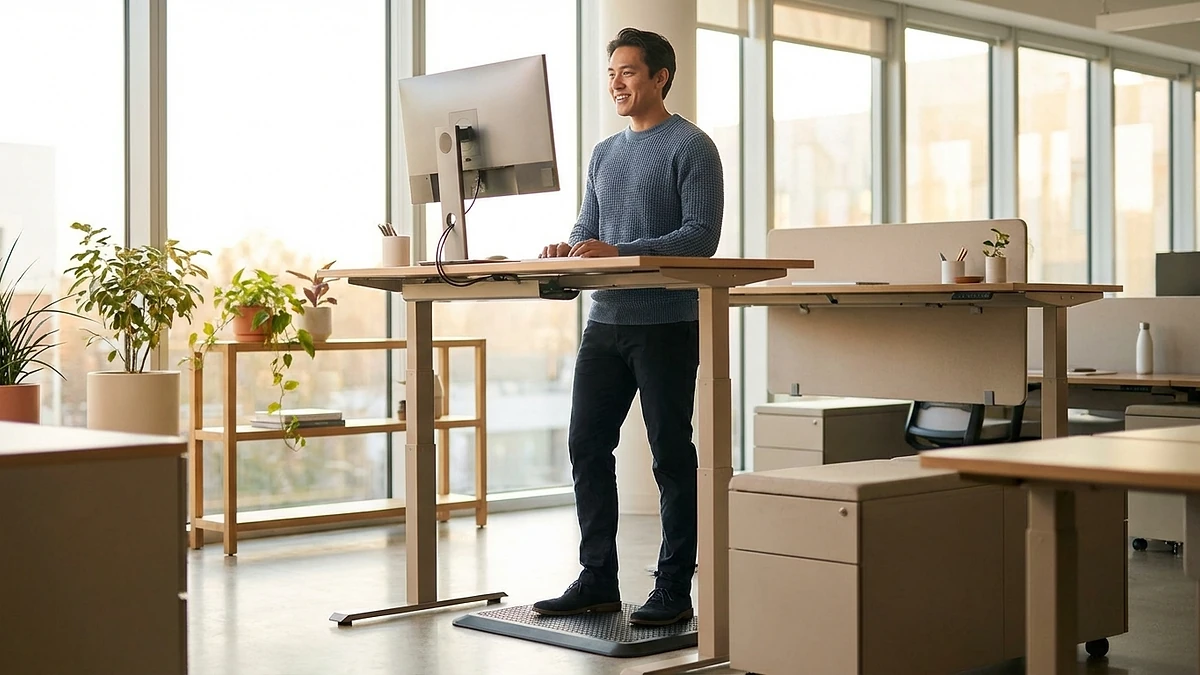
A fixed desk at the wrong height is one of the hardest problems to fix from the chair alone, because raising the chair to match a tall desk lifts your feet off the floor. This is exactly why a height-adjustable or adjustable standing desk is worth the investment: you set the surface to your elbow height instead of contorting your body to fit the furniture. If you alternate sitting and standing, your standing desk height is measured the same way, elbow height with shoulders relaxed, just done while standing tall.
Step 3: Monitor Height and Distance
Monitor placement is the leading cause of neck pain in desk workers, and it is governed by three numbers: height, distance, and angle.
Measure: Monitor Height
Sit upright in your neutral posture and look straight ahead. The top edge of the screen should sit at or just below your horizontal line of sight. From there, your eyes naturally rest on the centre of the screen at a slight downward gaze of about 15 to 20 degrees, which is the angle your neck prefers for reading.
- Quick check: Close your eyes, face forward, then open them. Your gaze should land on the top third of the screen, not above the bezel and not down near the taskbar.
- Laptop users: A laptop cannot satisfy this rule on its own, because raising the screen to eye level lifts the keyboard out of reach. Put the laptop on a riser and add an external keyboard and mouse, or connect an external monitor.
Measure: Viewing Distance
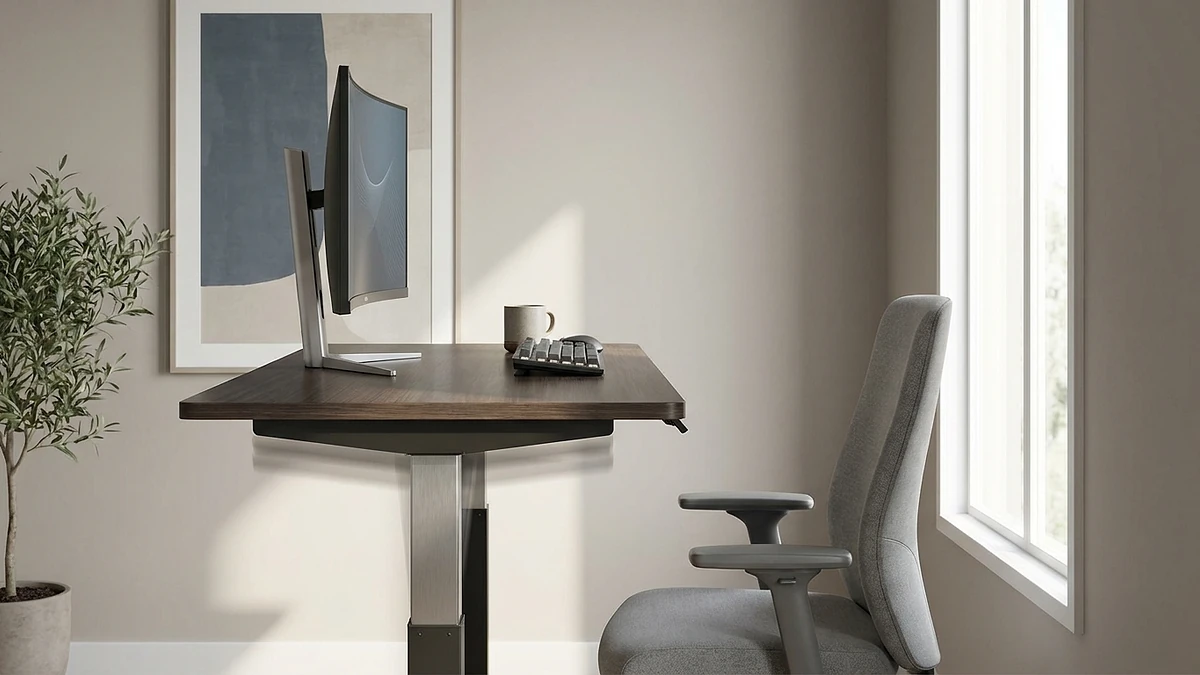
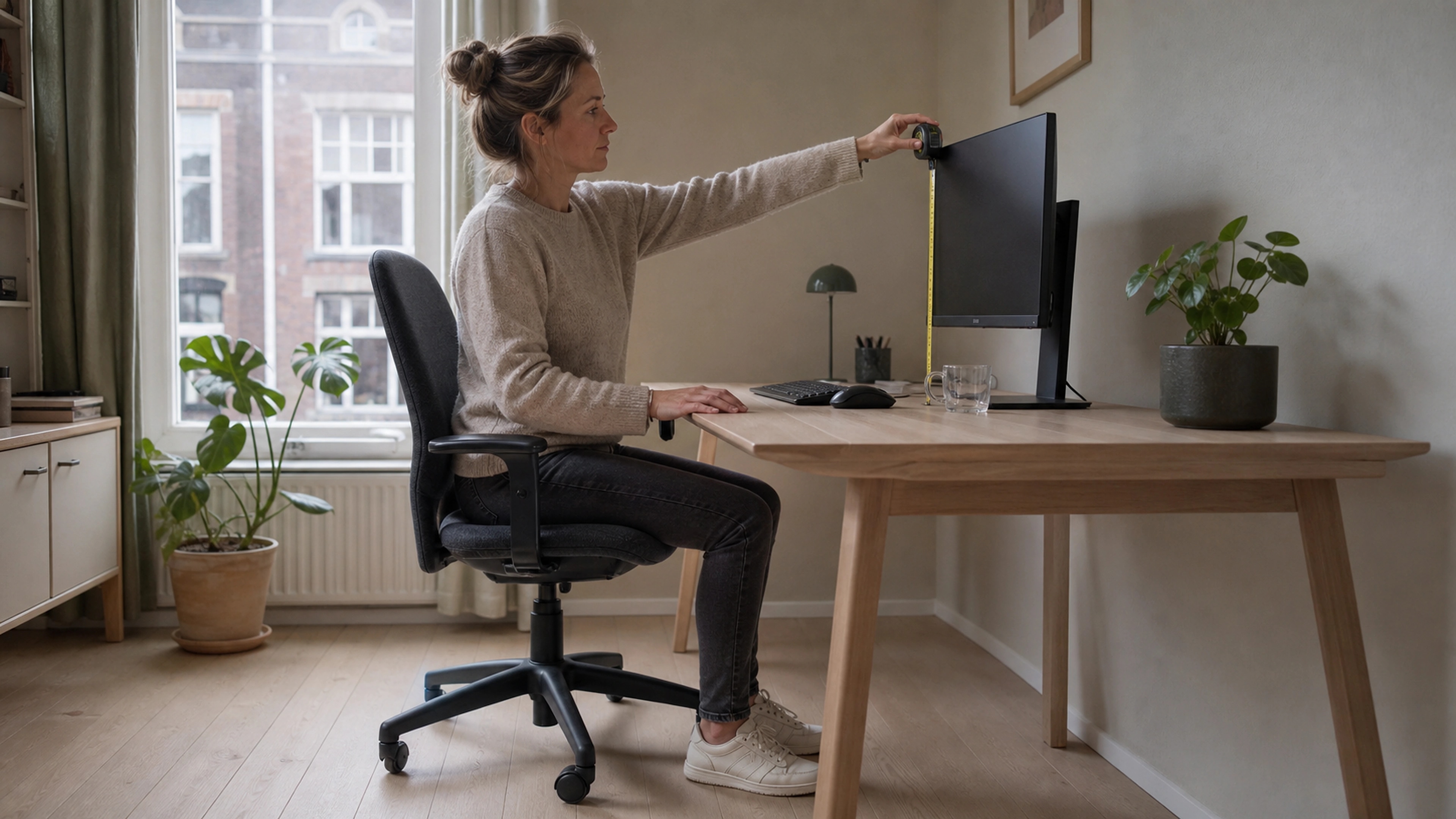
Sit back fully and extend one arm toward the screen. Your fingertips should just about brush it. That arm's length, roughly 50 to 70 centimetres, is the correct viewing distance for a standard 24 to 27 inch monitor. If text is hard to read at that distance, increase the font size or display scaling rather than pulling the monitor closer, which would force you to crane forward.
Measure: Screen Angle
Tilt the top of the screen away from you by 10 to 20 degrees so the display surface is roughly perpendicular to your downward line of sight. This keeps the whole screen at an even focal distance and reduces glare from overhead lighting.
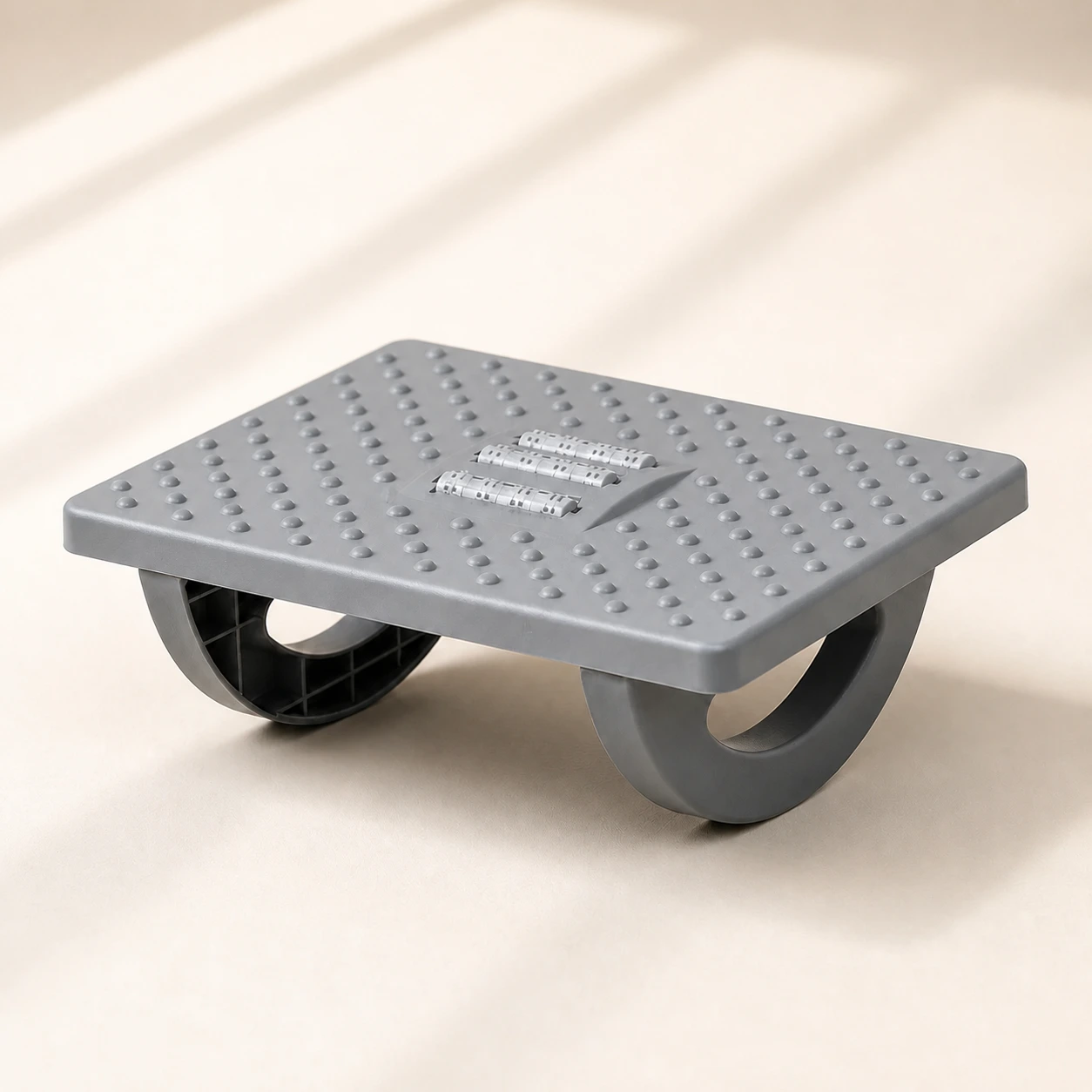 Product mentioned in this guideRollArc Rocking FootrestCompact gray footrest with twin curved supports for user-controlled rocking, a textured deck, and three central roller tracks.Free US shipping on every order60-Day Home Trial · we pay return shippingSee current price
If you run dual monitors, centre your primary screen directly in front of you. If you use both equally, position them edge to edge and centre the seam on your nose so you turn your head the same amount in each direction.
Step 4: Keyboard and Mouse
Your forearms set the rule here. With your chair and desk correctly matched, your forearms should already be parallel to the floor. The keyboard and mouse simply need to preserve that.
- Keyboard height: Your wrists should stay straight and neutral while typing, neither bent up toward the screen nor down toward the floor. If the desk forces your wrists to angle up, the surface is too high; a keyboard tray set slightly below desk level solves it.
- Keyboard tilt: Keep the keyboard flat or use a slight negative tilt (front edge higher than the back). Counterintuitively, the flip-out feet on most keyboards create a positive tilt that bends the wrists backward, so leave them down.
- Mouse position: Place the mouse immediately beside the keyboard at the same height, close enough that you can reach it without extending your arm. Reaching repeatedly for a distant mouse is a leading cause of shoulder and rotator-cuff strain.
- Wrist clearance: Leave a hand's width of space, about 10 to 15 centimetres, between the front edge of the keyboard and the edge of the desk so your wrists have somewhere to rest between bursts of typing. Rest there between keystrokes, not while actively typing.
Step 5: Footrest and Lower-Body Alignment
If raising your chair to meet the desk left your feet dangling or only your toes touching the floor, you need a footrest. Dangling legs put pressure on the underside of the thighs, compress the blood vessels behind the knees, and pull your pelvis out of neutral.
- Measure the gap: Sit in your fully adjusted chair and note the distance between the soles of your feet and the floor. That gap is the height your footrest needs to fill so your feet rest flat with thighs parallel and a 90 to 110 degree bend at the knees.
- Look for adjustability and a slight tilt. A footrest with around 15 degrees of forward incline supports active ankle movement, which keeps the lower leg engaged and circulation flowing. A static ergonomic foot rocker doubles as a gentle calf and ankle mobiliser through the day.
- Quick check: Both feet should be fully supported with no pressure points behind the knees, and you should be able to shift your weight and rock your ankles freely.
The Complete Measurement Checklist
Run through this condensed list with a tape measure the first time, then use it as a thirty-second visual check each morning. Setups drift; this catches the drift before it becomes pain.
- Seat height: feet flat, thighs parallel, knees level with or just below hips (about 40 to 53 cm)
- Seat depth: two to three finger widths behind the knees (about 2 to 5 cm)
- Lumbar support: curve apex at belt line (about 15 to 25 cm above the seat)
- Desk height: surface at relaxed-elbow height, forearms parallel to floor (about 71 to 76 cm)
- Monitor height: top edge at or just below eye level, gaze 15 to 20 degrees down
- Monitor distance: one arm's length away (about 50 to 70 cm)
- Monitor angle: tilted back 10 to 20 degrees, perpendicular to line of sight
- Keyboard: wrists straight, flat or slight negative tilt
- Mouse: beside the keyboard, same height, no reaching
- Footrest: in place if feet do not reach the floor, feet flat, knees at 90 to 110 degrees
One Last Rule: Measurements Are Not Enough on Their Own
A perfectly measured workstation still cannot protect a body that holds one position for hours. The World Health Organization links prolonged static sitting and poor posture to low back pain, one of the leading causes of disability worldwide. The best posture is always your next posture, so build movement into your day: stand or walk for a few minutes at least every 30 to 60 minutes, and shift your weight and stretch even while seated.
Measure once, check daily, and move often. Those three habits, combined with the targets above, turn a generic desk into a workspace that supports your body for the long haul. For a wider view of building out the rest of your workspace, see our complete ergonomic home office checklist.