
Setting Up an Ergonomic Home Office: The Complete Checklist
The shift to remote and hybrid work has made the home office a permanent fixture for millions of workers. Yet a 2024 survey by the International Ergonomics Association found that 67% of remote workers have never properly assessed their home workspace for ergonomic risk factors. The result is a growing epidemic of neck pain, back pain, eye strain, and repetitive strain injuries that were largely preventable.
This guide provides a comprehensive, step-by-step approach to building an ergonomic home office setup that protects your body, supports your productivity, and fits a range of budgets. Whether you are starting from scratch or optimizing an existing workspace, this checklist covers everything that matters.
The Most Common Home Office Mistakes
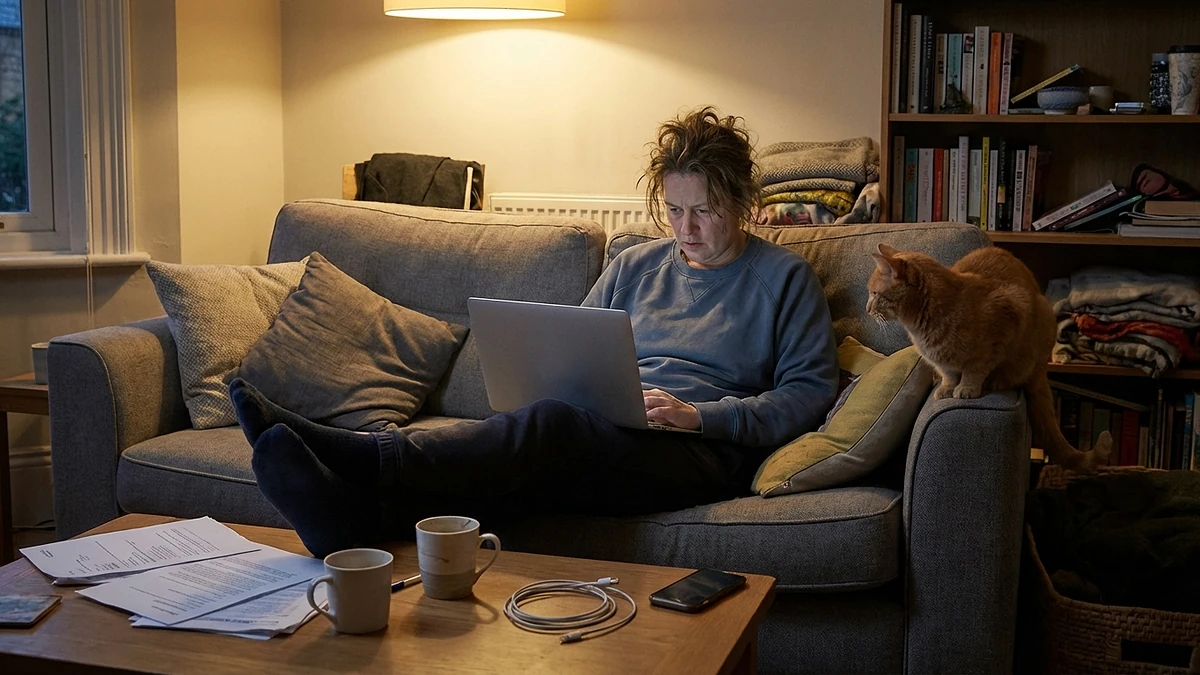
Before we build up, let us tear down the most frequent errors. Recognizing these patterns in your own setup is often the fastest path to improvement.
- Working from the couch or bed. Soft, unsupported surfaces force your spine into flexion and your neck into extension. Even occasional laptop-on-couch sessions accumulate damage over weeks and months.
- Using a dining chair. Dining chairs are designed for meals lasting 30-60 minutes, not eight-hour workdays. They lack lumbar support, seat depth adjustment, and proper height adjustment, which are the three features most critical for sustained sitting.
- Monitor too low. Laptops and low-placed monitors force your head forward and down, placing up to 27 kilograms of effective load on your cervical spine, according to research published in Surgical Technology International.
- Ignoring lighting. Poor lighting causes eye strain, which leads to unconscious postural changes like leaning forward, squinting, and tilting your head, all of which compound musculoskeletal stress.
- No movement breaks. Even a perfect ergonomic setup cannot overcome the damage of sitting motionless for hours. Your body is designed to move, and no chair can substitute for that.
The Foundation: Your Chair
Your chair is the single most impactful component of your home office. It determines your posture, your comfort, and your long-term spinal health. If your budget only allows you to upgrade one thing, make it the chair.
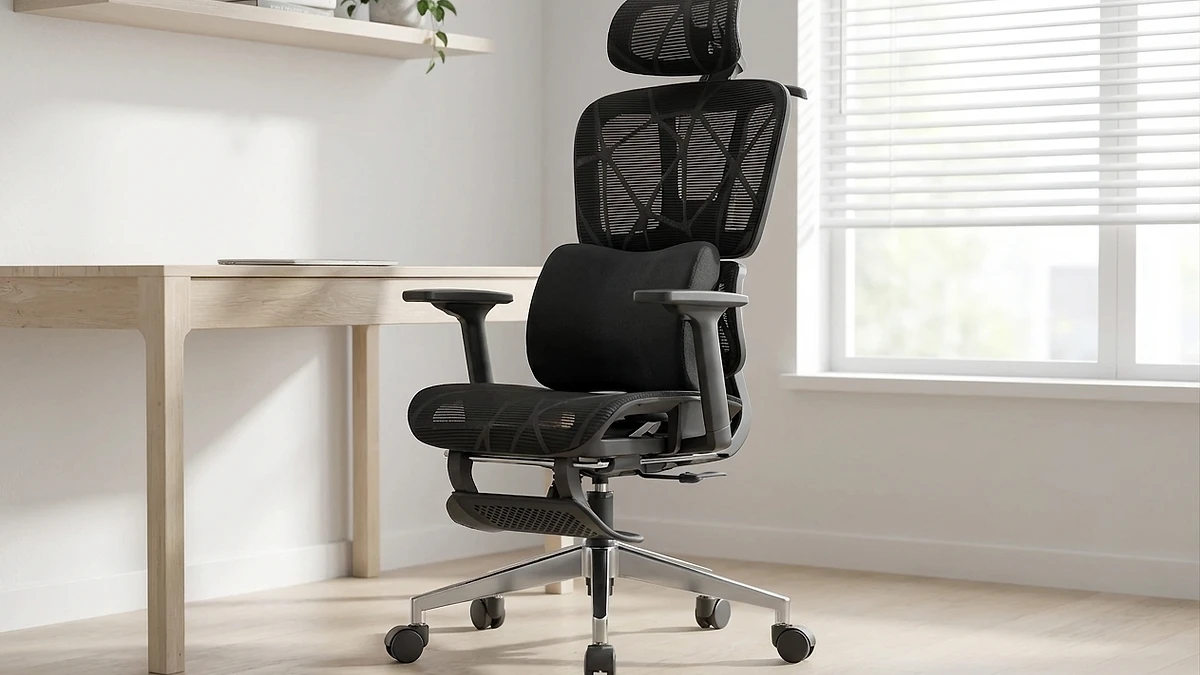
An ergonomic office chair should provide the following. Use this as a checklist when evaluating your current chair or shopping for a new one.
- Adjustable seat height that allows your feet to rest flat on the floor with your thighs parallel to the ground
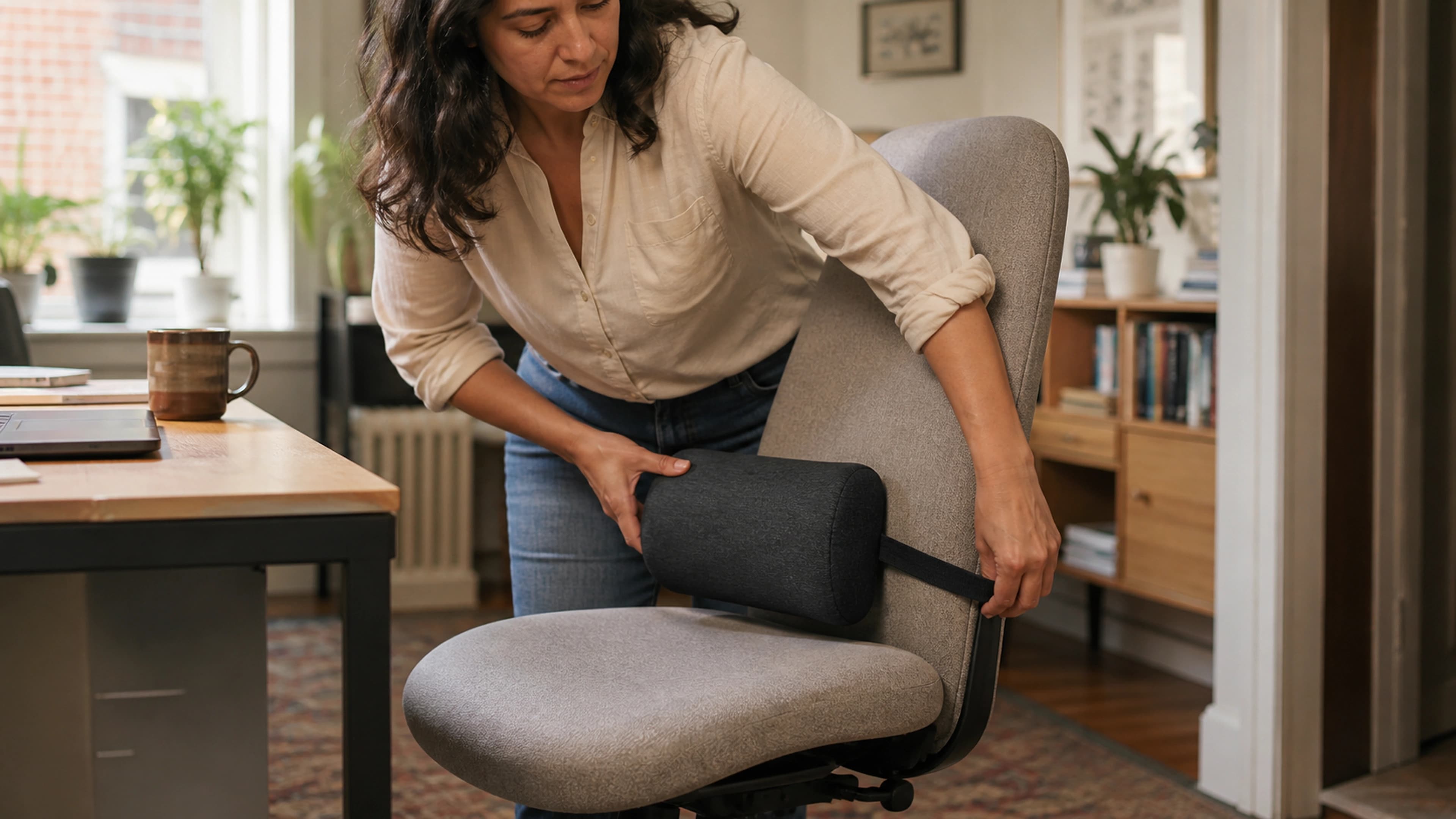
- Adjustable lumbar support that positions the apex of the curve at your belt line (L3-L4 vertebrae)
- Seat depth adjustment or a seat pan length that leaves a two- to three-finger gap behind your knees
- Adjustable armrests that support your forearms at elbow height without pushing your shoulders up
- Breathable material that prevents heat buildup during long sessions
- Stable five-point base with smooth-rolling casters appropriate for your floor type
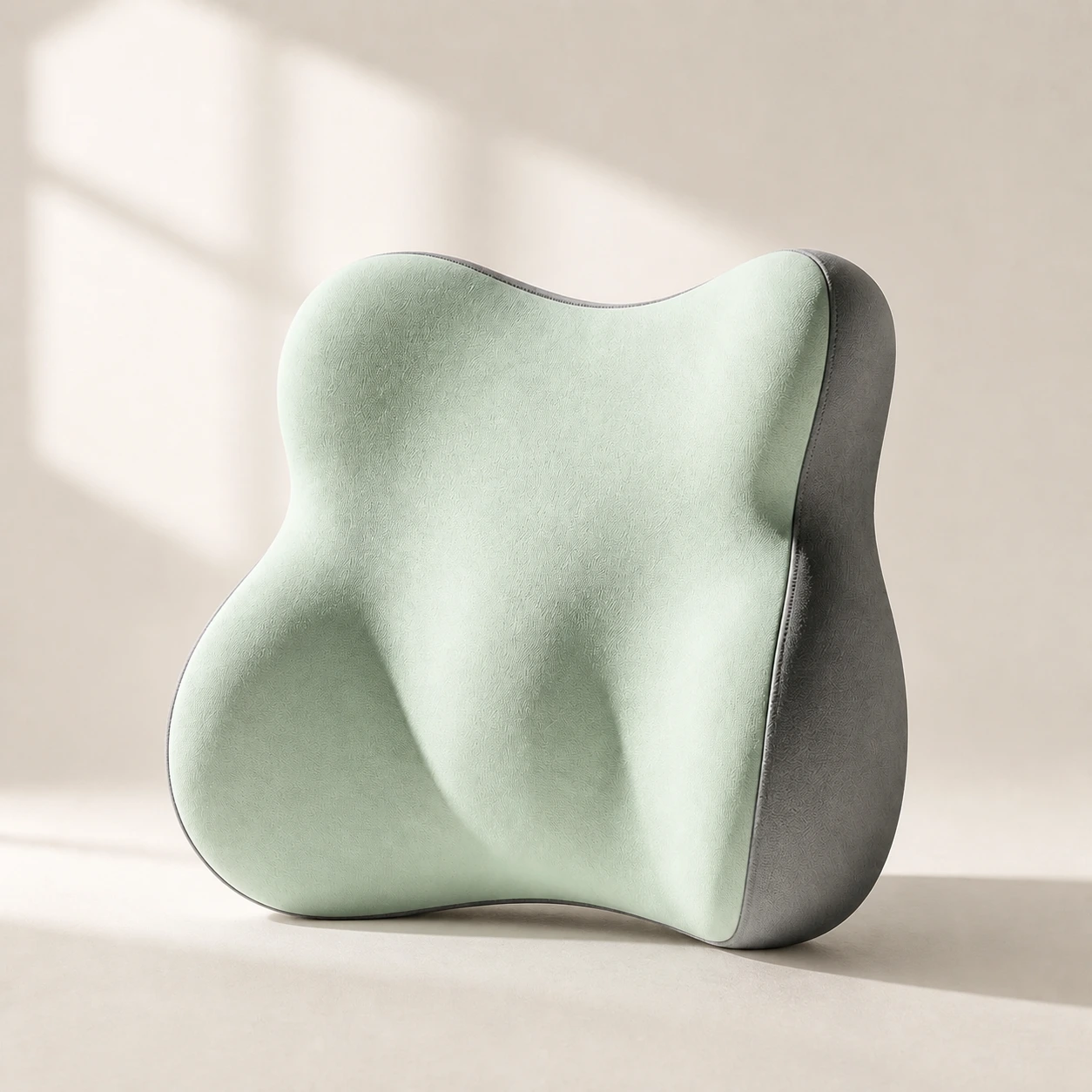 Product mentioned in this guideLumaWing Lumbar Cushion39 × 34 × 14 cm lumbar cushion available in four colours with a slow-rebound memory-foam core, fixed central ridge, recessed side channels, and broad outer…Free US shipping on every order60-Day Home Trial · we pay return shippingSee current price
If your chair does not have adequate built-in lumbar support, an external lumbar support pillow is one of the most effective and affordable upgrades you can make. For detailed guidance on choosing a chair, see our complete ergonomic chair guide.
Your Desk Setup
Desk Height
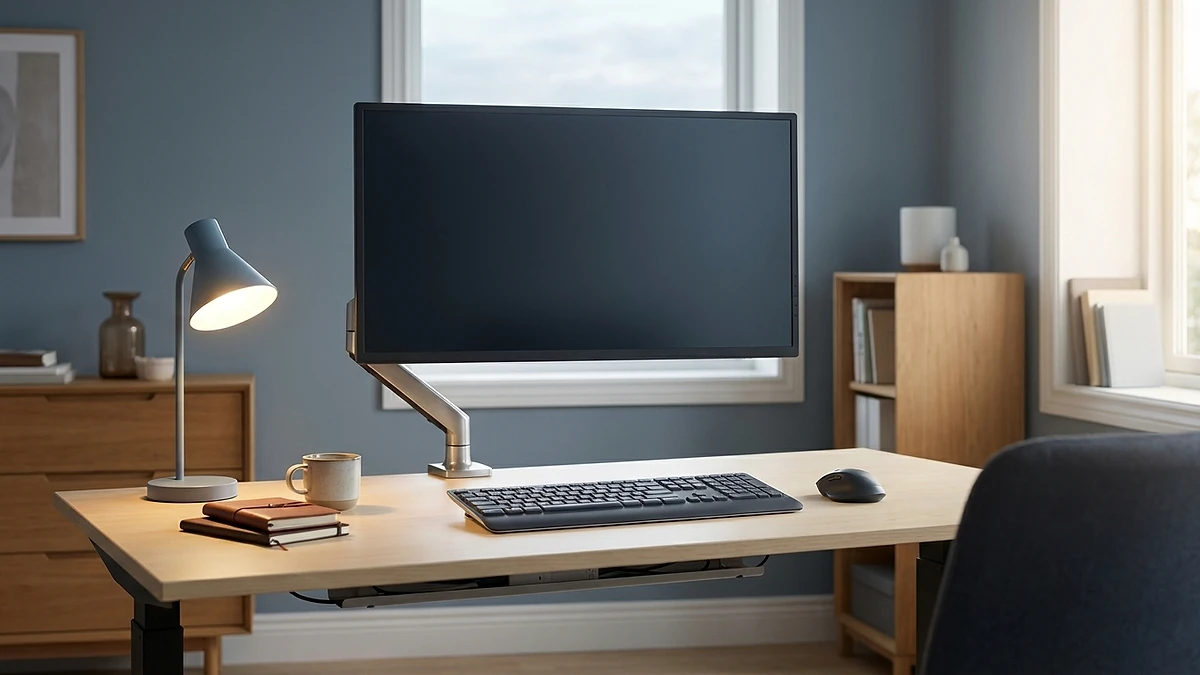
Your desk surface should be at elbow height when you are seated with your arms relaxed at your sides. For most adults, this is between 71 and 76 centimeters. If your desk is too high, your shoulders will elevate; too low, and you will hunch forward.
A sit-stand desk is ideal because it lets you alternate between seated and standing positions throughout the day. If a sit-stand desk is not in your budget, a fixed-height desk at the correct seated height is perfectly adequate when combined with regular standing breaks.
Monitor Placement
Your monitor is the second most important element after your chair. Poor monitor placement is the leading cause of neck pain and headaches in office workers.
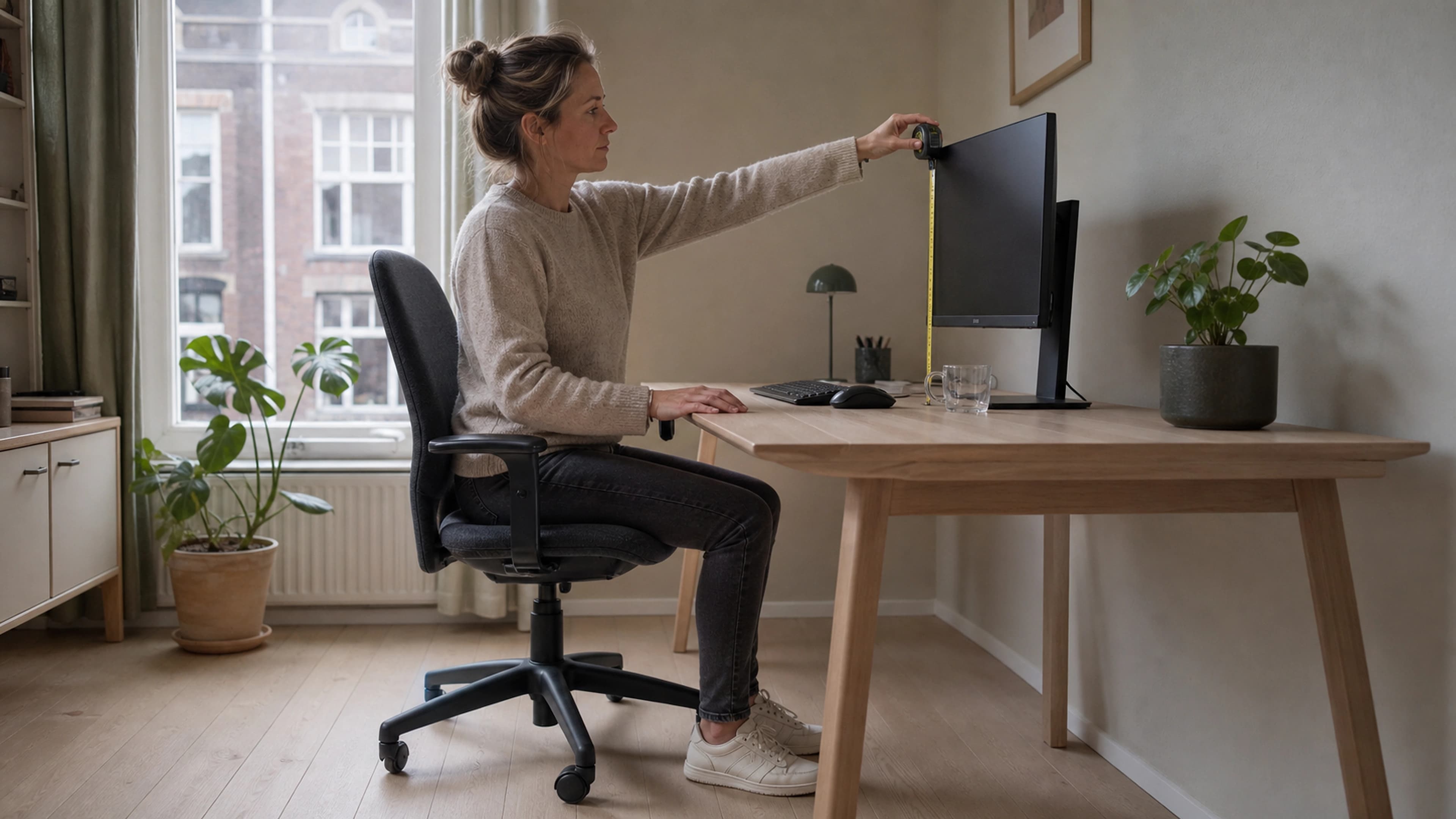
- Height: The top of the screen should be at or slightly below eye level. This allows your eyes to naturally rest on the center of the screen with a slight downward gaze of 15-20 degrees.
- Distance: Position the screen approximately one arm's length away (50-70 centimeters). If you find yourself leaning forward to read text, increase the font size rather than moving the monitor closer.
- Angle: Tilt the screen back 10-20 degrees so the surface is perpendicular to your line of sight. This reduces glare and ensures you are reading the screen at the optimal viewing angle.
- Dual monitors: If you use two screens, position the primary monitor directly in front of you and the secondary screen to one side at a slight angle. If you use both equally, center the gap between them on your midline so you turn your head equally in both directions.
Keyboard and Mouse
Your keyboard should sit at a height that allows your forearms to be parallel to the floor with your wrists in a neutral position, neither flexed up nor bent down. A slight negative tilt (front edge higher than back) is preferable to a positive tilt, despite the kickstands built into most keyboards. Consider a keyboard tray if your desk surface is too high.
Your mouse should be at the same height as your keyboard and close enough that you do not have to reach for it. Reaching for the mouse with an extended arm is a primary risk factor for shoulder and rotator cuff problems in office workers.
Lighting for Productivity and Eye Health
Lighting is the most underrated element of home office ergonomics. Poor lighting forces your visual system to work harder, which triggers compensatory postures and accelerates fatigue.
Natural Light
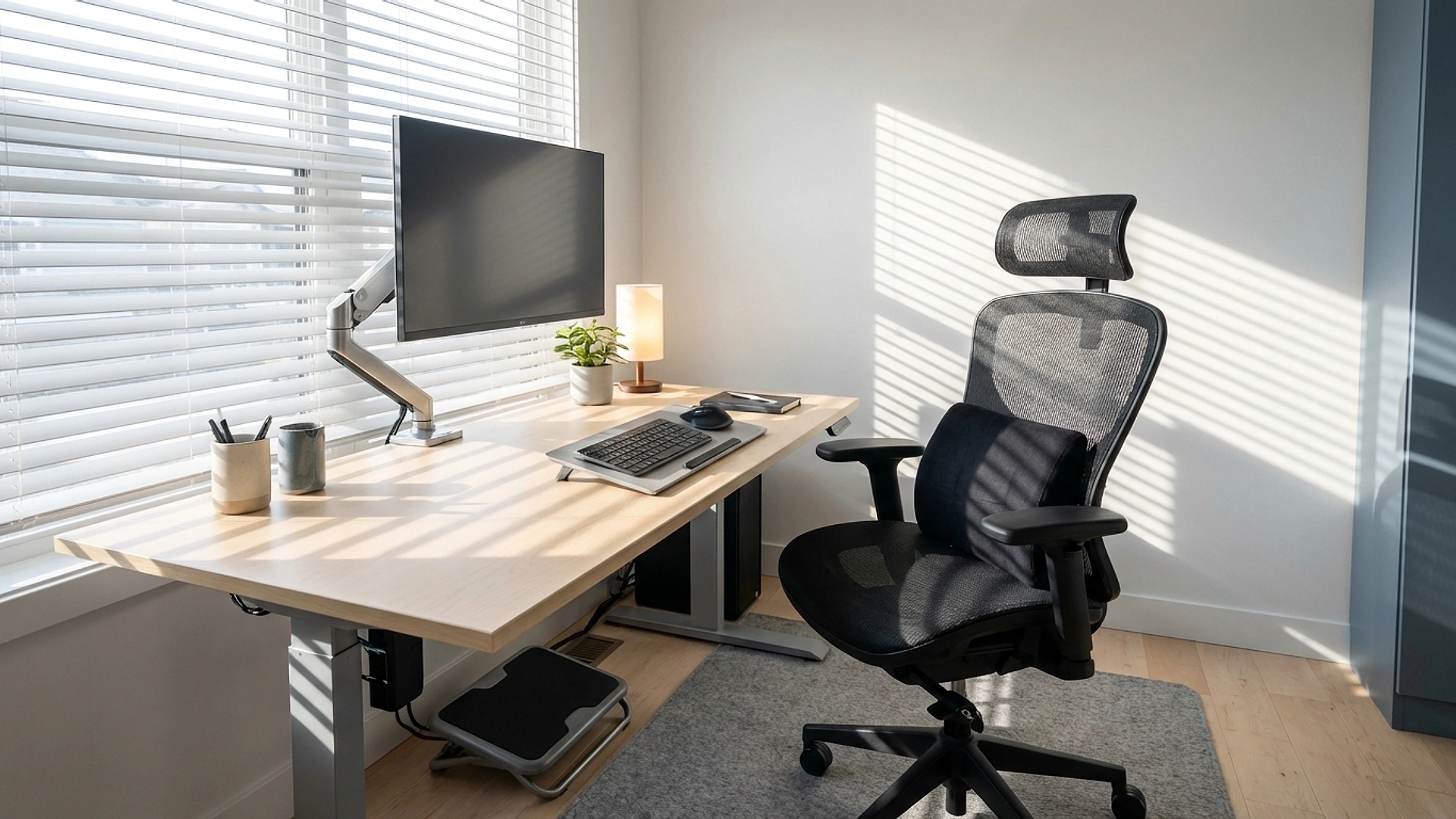
Position your desk perpendicular to windows rather than facing them directly or turning your back to them. A perpendicular orientation provides ambient natural light without creating glare on your screen or silhouetting your monitor against a bright window.
Task Lighting
A desk lamp with adjustable brightness and color temperature gives you control over your immediate work area. For screen-based work, aim for ambient lighting of 300-500 lux. Avoid harsh overhead fluorescent lighting, which creates high-contrast shadows and increases eye strain.
Color Temperature
During work hours, light in the 4000-5000K range (neutral white) supports alertness without being harsh. In the evening, shift to warmer tones (2700-3000K) to support your circadian rhythm. Many modern desk lamps offer adjustable color temperature, and your operating system likely has a built-in night mode that warms the screen color after sunset.
Screen Brightness
Your monitor brightness should roughly match the ambient brightness of your surroundings. A bright screen in a dark room or a dim screen in a bright room both force your pupils to constantly adjust, which accelerates eye fatigue. Adjust your screen brightness throughout the day as natural light levels change.
The Comfort Layer
Beyond the chair, desk, and monitor, several accessories can significantly improve your daily comfort and reduce specific risk factors.
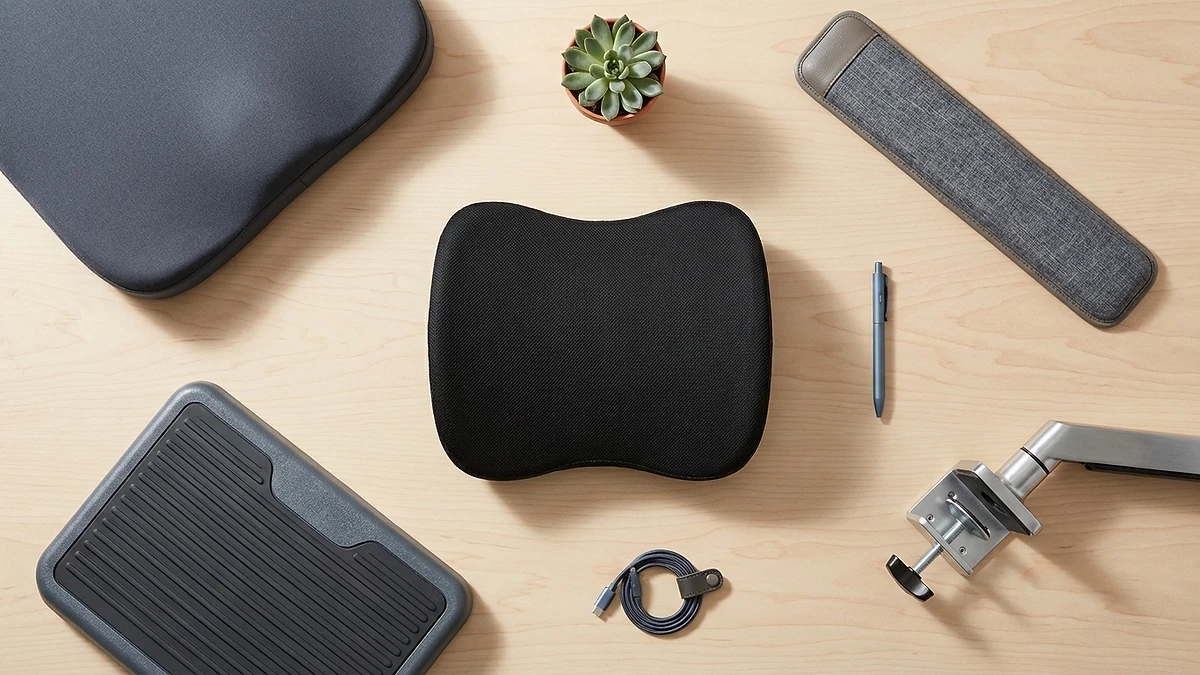
- Lumbar support pillow: Essential if your chair lacks built-in lumbar adjustment. Maintains the natural lordotic curve of your lower back. Our lumbar support pillow is designed specifically for all-day office use.
- Seat cushion: Redistributes pressure across the sitting surface, reducing load on the tailbone and ischial tuberosities. Especially valuable on firm chair seats or for anyone with tailbone or hip sensitivity. See our ergonomic seat cushion.
- Footrest: If your desk is too high and your chair needs to be raised to match, your feet may not reach the floor. A footrest closes this gap and prevents dangling legs, which compress the underside of your thighs and restrict blood flow.
- Wrist rest: Supports your wrists in a neutral position during typing pauses. Important distinction: rest your wrists between keystrokes, not while actively typing. Typing with pressure on a wrist rest increases carpal tunnel risk.
- Monitor arm: Frees up desk space and allows precise height, distance, and angle adjustment of your screen. A worthwhile upgrade over a fixed monitor stand, especially for dual-monitor setups.
Budget Setup Guide
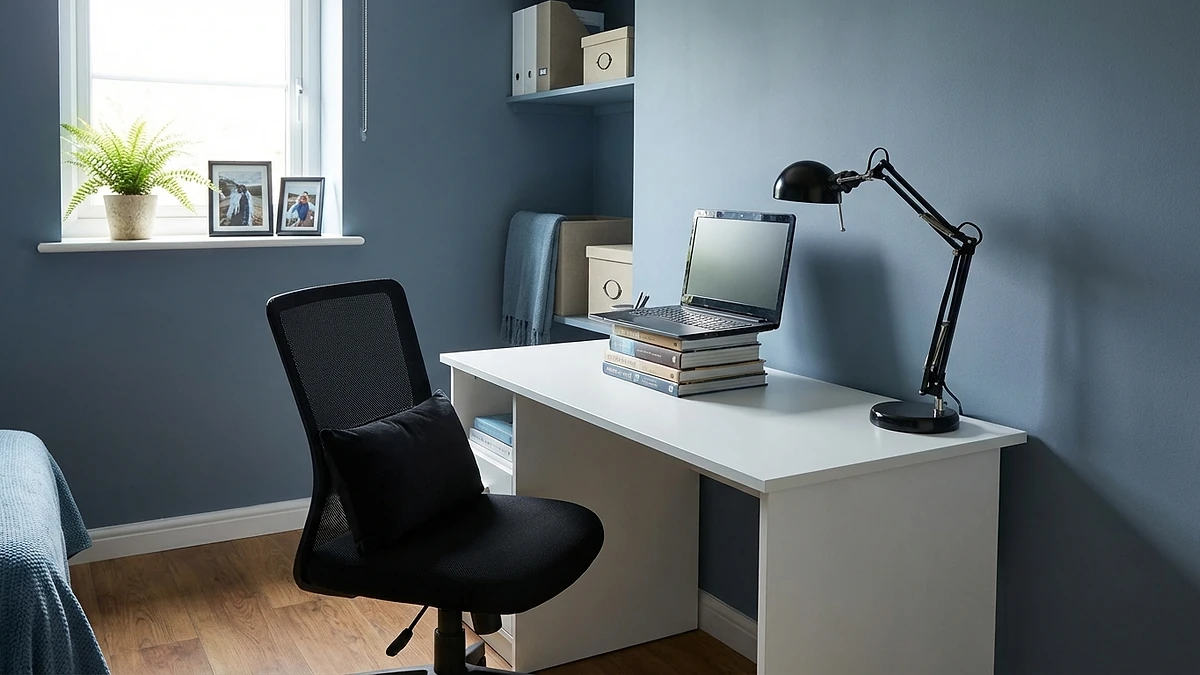
You do not need to spend thousands to create a functional ergonomic workspace. Here is how to prioritize at three budget levels.
The $300 Setup
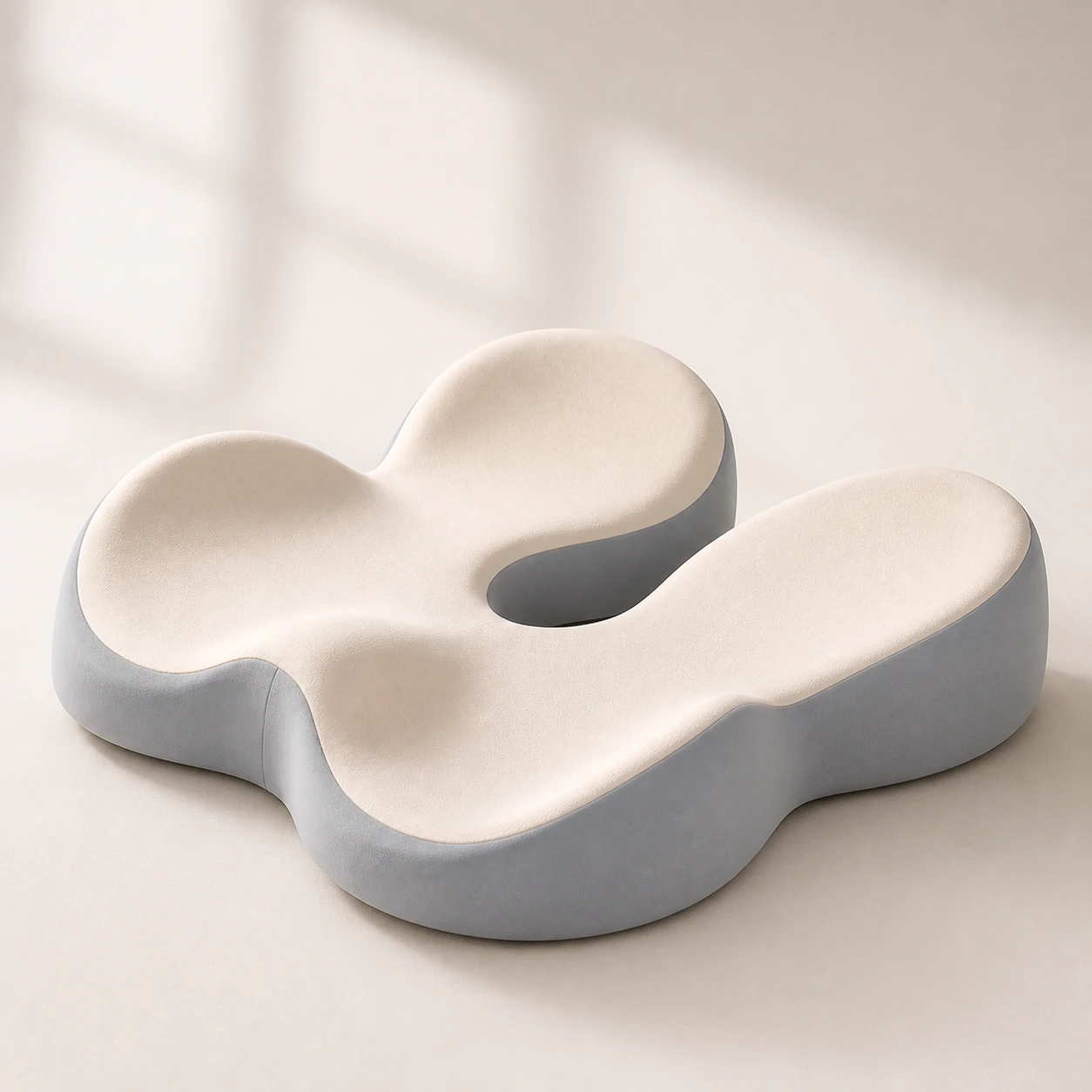 Product mentioned in this guideMemory Foam Seat CushionA sculpted seat cushion with a deep, open U-shaped rear channel designed to reduce direct contact beneath the coccyx and tailbone area. Raised rear…Free US shipping on every order60-Day Home Trial · we pay return shippingSee current price
At this level, focus on the interventions with the highest return per dollar. Keep your existing desk and chair if they are reasonable, and invest in accessories that address the most critical gaps.
- Lumbar support pillow ($40-60)
- Ergonomic seat cushion ($40-60)
- Monitor riser or laptop stand ($20-40)
- External keyboard and mouse ($50-80)
- Desk lamp with adjustable brightness ($30-50)
This approach will not give you a perfect setup, but it addresses the most common pain points: lumbar support, seated pressure, screen height, and lighting. If your current chair is truly inadequate, redirect the budget toward a better chair and add accessories over time.
The $500 Setup
This budget allows you to upgrade your chair, which is the single highest-impact change you can make.
- Quality ergonomic chair with adjustable lumbar ($250-350)
- Lumbar support pillow ($40-60)
- Monitor arm ($30-50)
- External keyboard and mouse ($50-80)
- Desk lamp ($30-50)
The $1,000 Setup
At this level, you can build a comprehensive workspace with no major compromises.
- Premium ergonomic chair like the LumaSpine Pro ($400-600)
- Sit-stand desk or standing desk converter ($200-300)
- Ergonomic seat cushion ($40-60)
- Quality monitor arm ($50-80)
- Ergonomic keyboard and mouse ($80-120)
- Desk lamp with color temperature control ($40-60)
Movement and Break Strategy
No ergonomic setup, regardless of cost, eliminates the need for regular movement. The human body is designed for dynamic activity, and even the most supportive chair creates problems when you sit in it for hours without interruption.
Research from the American Journal of Epidemiology found that sitting for more than 60 consecutive minutes is associated with increased all-cause mortality, independent of total daily sitting time. The key is breaking up sitting bouts, not just reducing total sitting hours.
- The 30-30 rule: Every 30 minutes, stand for 30 seconds. This is the bare minimum intervention, simple enough that there is no excuse to skip it.
- The 50-10 method: Work for 50 minutes, then take a 10-minute active break. Walk, stretch, or do a few of the desk exercises from our guide. This pattern aligns well with the Pomodoro technique for productivity.
- Micro-movements: Even while seated, shift your weight, adjust your position, and fidget. Studies show that people who move frequently in their chairs experience less back pain and disc dehydration than those who sit perfectly still.
- Walking meetings: For phone calls or one-on-one discussions that do not require screen sharing, walk instead of sit. A 30-minute walking meeting burns 100 more calories than a seated one and significantly reduces spinal compression.
The 5-Minute Daily Workspace Check
Ergonomic setups drift over time. Chairs get adjusted by someone else, monitors get bumped, and cushions shift. A daily 5-minute check at the start of your workday ensures your setup stays optimized.
- Chair height: Sit down. Are your feet flat on the floor? Are your thighs parallel to the ground? Adjust if needed. (30 seconds)
- Lumbar support: Is the pillow or built-in lumbar pad at belt level? Has it shifted down overnight? Reposition if needed. (15 seconds)
- Monitor height: Look straight ahead. Is the top of the screen at eye level? Adjust your monitor arm or riser if it has moved. (15 seconds)
- Keyboard and mouse position: Are your forearms parallel to the floor? Is your mouse within easy reach without extending your arm? Adjust if needed. (15 seconds)
- Lighting: Check for glare on your screen. Adjust blinds or lamp angle as needed for the current time of day. (15 seconds)
- Desk surface: Clear any clutter that forces you to reach awkwardly or work in a cramped area. Keep frequently used items within the primary reach zone (forearm's length). (30 seconds)
- Break timer: Confirm your break reminder is active on your phone or computer. It is easy to disable and forget to re-enable. (15 seconds)
This check takes less than three minutes once it becomes habitual. It catches small drifts before they become pain-producing problems.
Final Checklist Summary
Use this condensed checklist as a quick reference. Print it and keep it at your desk until every item is addressed.
- Chair provides adjustable lumbar support at belt level
- Seat height allows feet flat on floor, thighs parallel
- Seat depth leaves two-finger gap behind knees
- Armrests support forearms at elbow height
- Monitor top at eye level, one arm's length away
- Keyboard at elbow height, wrists neutral
- Mouse adjacent to keyboard, within easy reach
- Desk perpendicular to window for balanced lighting
- Task lamp with adjustable brightness available
- Lumbar pillow in place if chair support is insufficient
- Seat cushion on chair if seat pan is firm or flat
- Footrest in place if feet do not reach the floor
- Break timer set for every 30-50 minutes
- Daily workspace check added to morning routine
An ergonomic home office setup is not a luxury. It is an investment in your health, your comfort, and your ability to do your best work for years to come. Start with the highest-impact changes, and build from there. Your body will notice the difference within days.