
Standing Desk for Lower Back Pain: Does It Help, and How to Use One Right
A standing desk can reduce lower back pain for many desk workers, but only when you use it to alternate between sitting and standing rather than standing still for hours. The relief comes from changing position and moving more often, not from standing as a fixed posture. This guide covers what the research actually shows, why standing all day can create its own back pain, and exactly how to set up and use a sit-stand desk so your lower back benefits instead of suffering.
Why sitting all day hurts your lower back
When you sit, your pelvis tends to rotate backward and the natural inward curve of your lower spine flattens. That position increases the load on your spinal discs and asks the muscles around your lower back to hold a slumped shape for hours. Sustained over a workday, that is what produces the familiar dull lower-back ache by mid-afternoon. Spinal discs also rely on movement to exchange fluid and nutrients, and a long stretch of unbroken sitting starves them of that motion.
This is the real problem a standing desk is trying to solve. It is not that standing is magically good for your back. It is that any one posture held too long is the enemy, and a sit-stand desk gives you an easy way to break out of the worst one without leaving your work.
What the research says about standing desks and back pain
The evidence is genuinely encouraging, with one important caveat.
In a randomized controlled trial published in the Journal of Occupational and Environmental Medicine, Ognibene and colleagues (2016) gave 46 university employees who had chronic lower back pain access to a sit-stand workstation. Over the study period, participants reported a statistically significant reduction in both current low back pain (P = 0.02) and worst low back pain (P = 0.04) compared with their usual sitting workstation. In other words, simply having the option to stand and switch positions measurably reduced their pain.
The 2018 Cochrane systematic review by Shrestha and colleagues, which pooled multiple workplace studies, found that sit-stand desks reduce workplace sitting time by roughly 84 to 116 minutes per workday in the short term, settling to around 57 minutes per day over a three-to-twelve-month follow-up. The review rated the certainty of this evidence as low to very low, mainly because the studies were small, so it is fair to treat standing desks as promising rather than proven. Notably, the reviewers did not find that standing more caused harm such as musculoskeletal pain or reduced productivity.
The honest summary: a sit-stand desk is a well-evidenced tool for moving more and sitting less, and at least one good trial links that directly to less back pain. It is not a guaranteed cure, and the size of the benefit depends almost entirely on how you use it.
The catch: standing still all day can cause back pain too
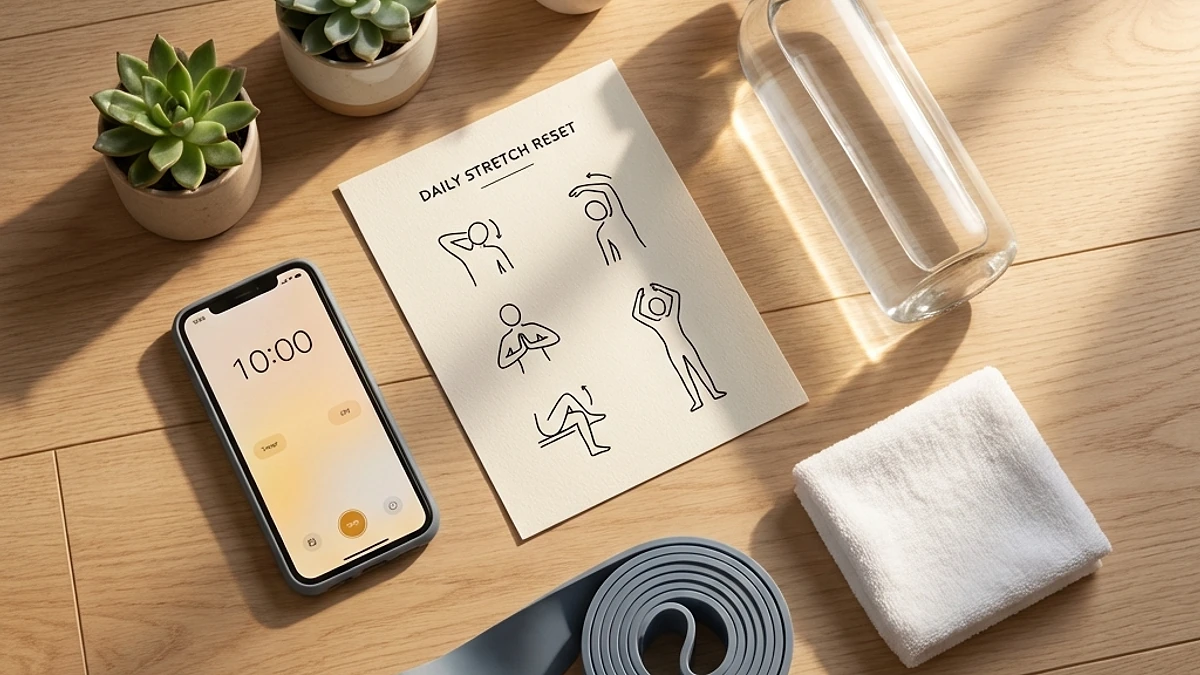
Here is the mistake that turns a standing desk into a new source of pain. People buy one, raise it, and then stand rigidly in place for hours, treating standing as the goal. Standing as a static posture has its own well-documented downside.
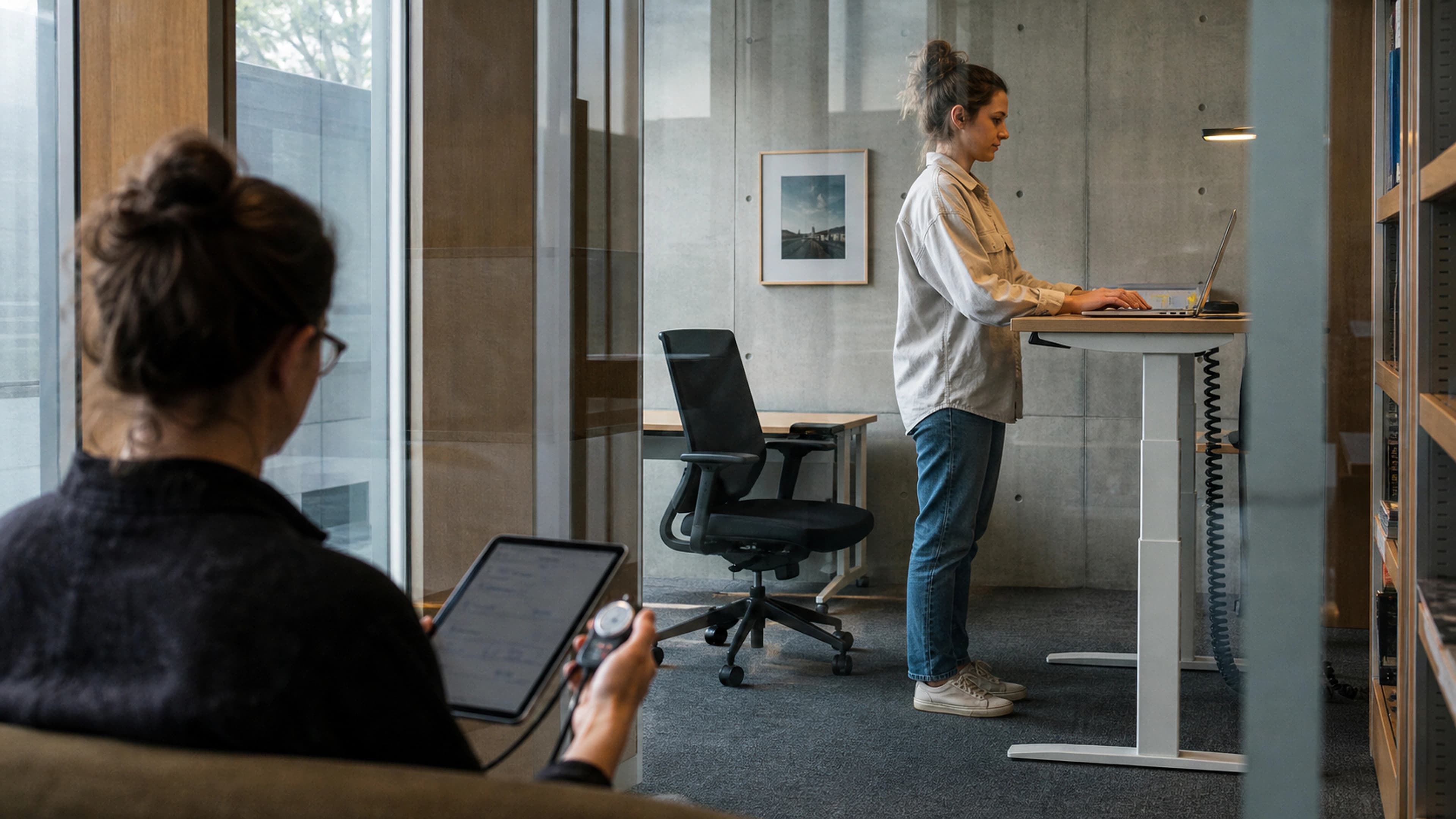
In a series of biomechanics studies, Nelson-Wong and Callaghan (2010) had previously pain-free adults stand for two hours and found that a substantial share of them developed transient lower back pain during that single standing exposure. Standing still loads the spine and surrounding muscles in a different but equally fatiguing way to sitting. The encouraging follow-up: the same line of research found that introducing brief walking breaks during prolonged standing reduces that standing-induced back pain. Movement, again, is the active ingredient, not the posture itself.
So the goal is not to replace eight hours of sitting with eight hours of standing. That just swaps one static load for another. The goal is to keep changing.
How to use a standing desk to actually help your back
If you take one thing from this article, make it the rhythm: alternate, and move.
- Alternate sitting and standing. A common starting point is roughly 30 minutes sitting to 15 minutes standing, then adjust to what your body tolerates. There is no single magic ratio, the point is to switch before any one position starts to ache.
- Build up gradually. If you have been sitting all day for years, do not stand for four hours on day one. Start with short standing blocks and increase over a couple of weeks so your legs, feet, and lower back adapt.
- Move during standing blocks. Shift your weight, take a few steps, and avoid locking your knees. A light footrest or balance board under the desk encourages small movements that keep the load changing.
- Listen for the ache. The first sign of discomfort in either position is your cue to switch, not to push through.
- Keep walking breaks. Whether sitting or standing, get up and walk for a minute or two every half hour or so. This is the habit most strongly tied to spinal health.
An adjustable standing desk makes this rhythm practical because changing height takes seconds, so there is no friction stopping you from switching whenever you feel a position settling in. If transitions are a hassle, you will not do them, and the whole benefit is lost. You can compare the full range in the standing desks collection.
Setting up your standing desk to protect your lower back
Good ergonomics matter as much standing as sitting. Dial these in once and the desk will work with your back instead of against it.
- Desk height when standing: Raise the surface so your elbows rest at roughly a 90-degree angle and your forearms are parallel to the floor. Your wrists should stay neutral, not bent up or down.
- Monitor height: The top of your screen should sit at or just below eye level so you are not tipping your head down (which loads the neck) or craning up. Use a riser or arm if needed.
- Feet and floor: Stand with weight evenly distributed. A cushioned anti-fatigue mat reduces the strain of standing on a hard floor and makes longer standing blocks comfortable.
- Screen distance: Keep the monitor roughly an arm's length away to avoid leaning forward, which reintroduces the slumped posture you are trying to escape.
The standing desk is half the system, not the whole fix
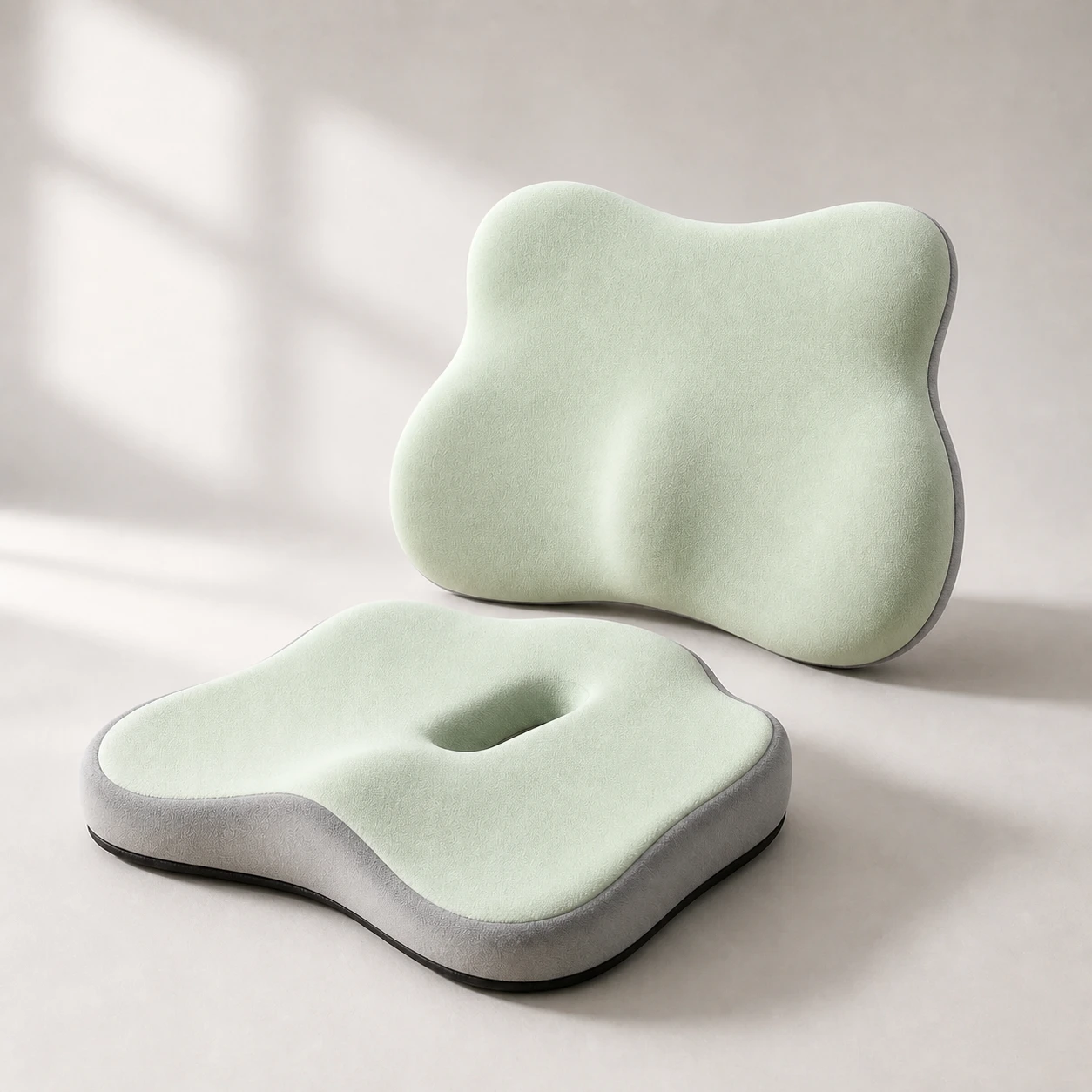 Product mentioned in this guideSitContour DuoSlow-rebound memory-foam set available in two colours with one contoured seat cushion and one separate four-lobed lumbar cushion.Free US shipping on every order60-Day Home Trial · we pay return shippingSee current price
A sit-stand desk handles the standing half of the day. The sitting half still needs to be ergonomic, because most people will spend a good chunk of the day seated even with a standing desk. That means a chair that holds your lumbar curve so the sitting blocks do not undo the standing benefit.
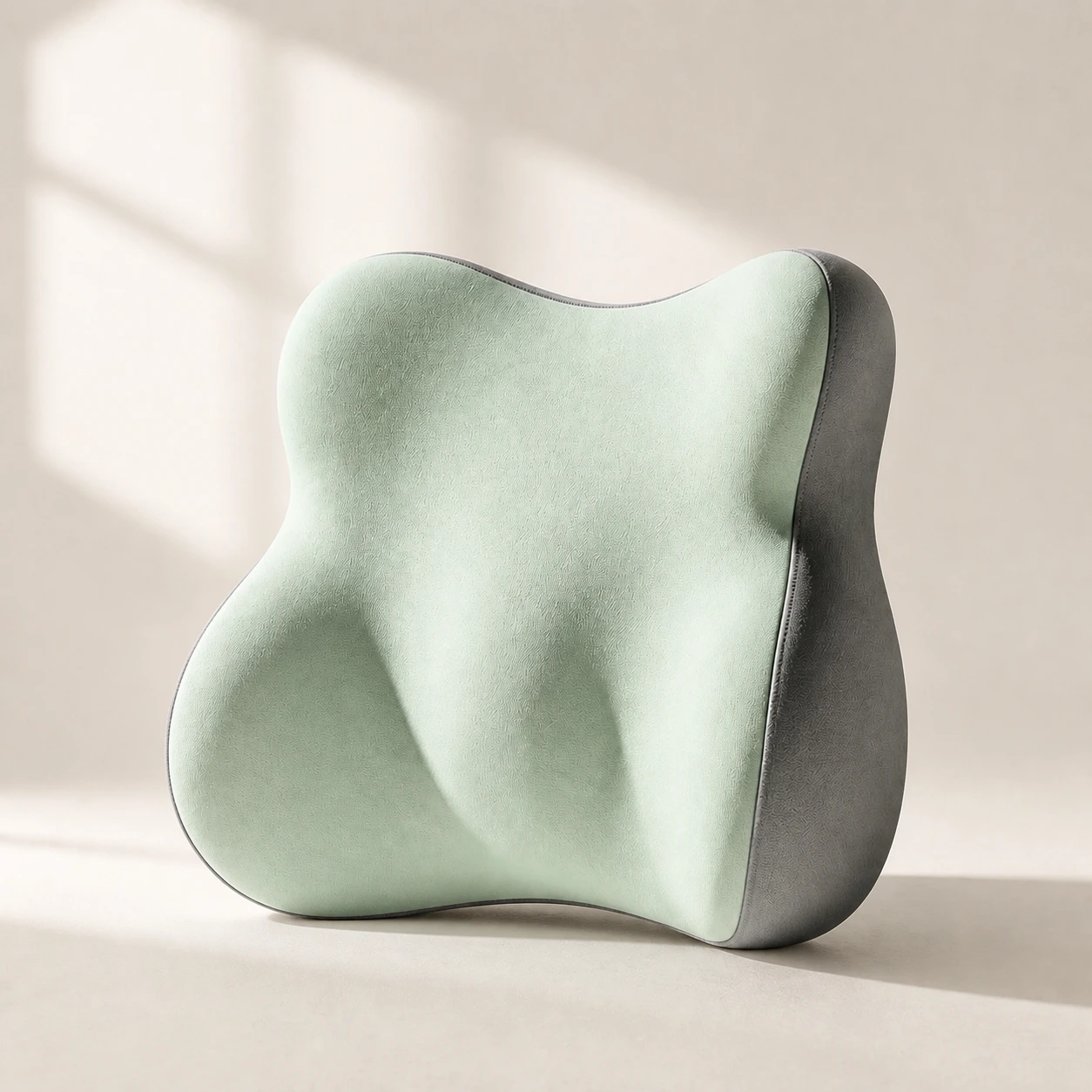 Product mentioned in this guideLumaWing Lumbar Cushion39 × 34 × 14 cm lumbar cushion available in four colours with a slow-rebound memory-foam core, fixed central ridge, recessed side channels, and broad outer…Free US shipping on every order60-Day Home Trial · we pay return shippingSee current price
If your current chair lacks proper lower-back support, the most cost-effective fix is a well-placed lumbar support pillow, which retrofits the right curve onto a seat you already own. For longer-term seated comfort, a supportive seat base such as a gel seat cushion reduces pressure during the sitting blocks. And to encourage the small movements that matter even when seated, an ergonomic foot rocker keeps your feet and ankles active rather than static. If you want the full setup in one go, the back pain remote work kit bundles the core pieces for a sit-stand workstation.
When to see a professional
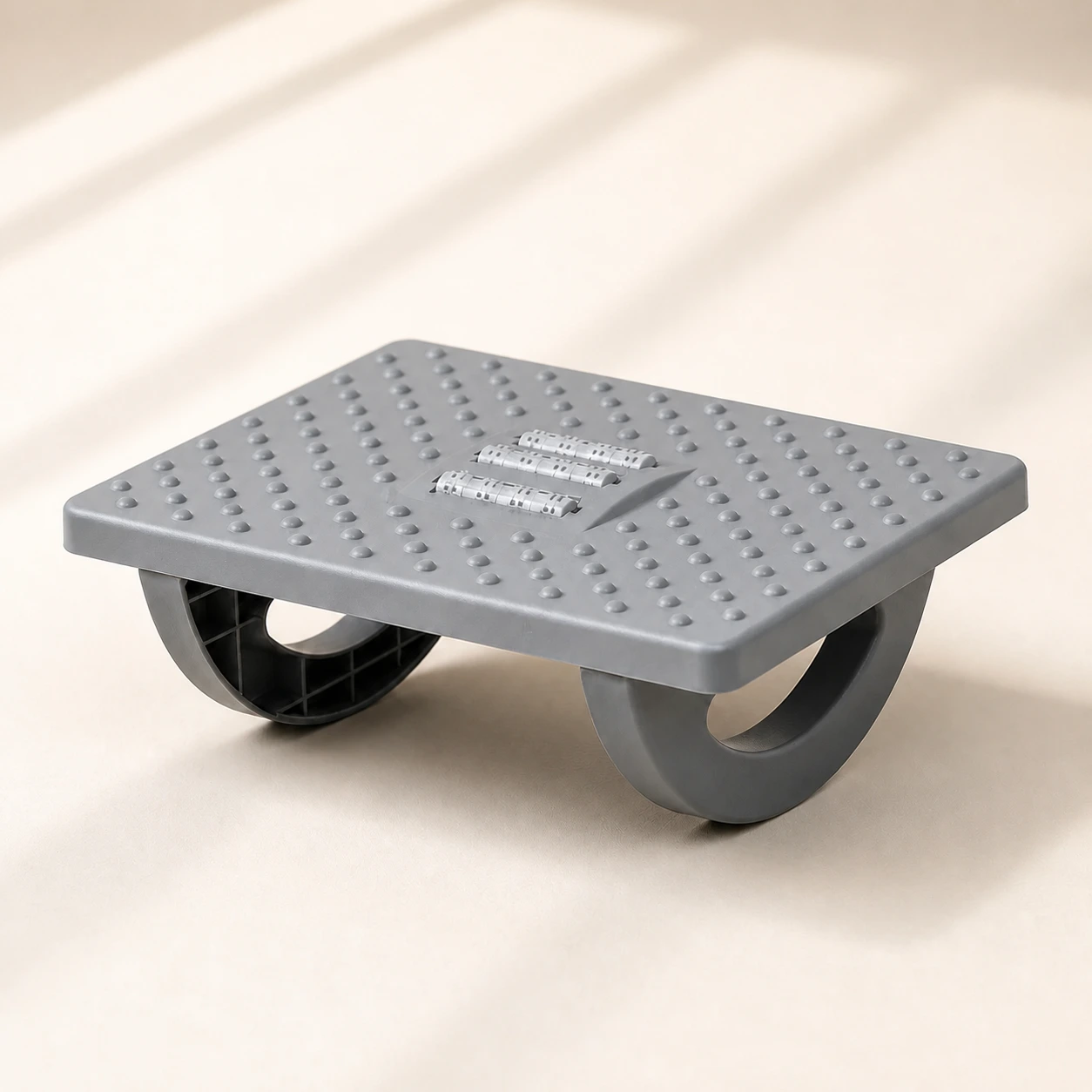 Product mentioned in this guideRollArc Rocking FootrestCompact gray footrest with twin curved supports for user-controlled rocking, a textured deck, and three central roller tracks.Free US shipping on every order60-Day Home Trial · we pay return shippingSee current price
A standing desk addresses a mechanical, posture-and-movement cause of back pain. It is not a treatment for an underlying medical problem. If your lower back pain is severe, came on suddenly after an injury, radiates down a leg, is accompanied by numbness, tingling, or weakness, or simply does not improve after a few weeks of better movement habits, see a doctor or physiotherapist. Ergonomics is a powerful prevention tool, but persistent or worsening pain deserves a proper assessment.
The bottom line
A standing desk can meaningfully reduce lower back pain, and there is real research to support it, but the mechanism is movement and variety, not standing for its own sake. Use a sit-stand desk to alternate positions through the day, take walking breaks, set the height correctly, and pair it with a supportive seated setup. Do that, and you are addressing the actual driver of desk-related back pain rather than just swapping one static posture for another. Browse the adjustable standing desk to start building that rhythm into your workday.
Frequently asked questions
Does a standing desk actually help with lower back pain?
It can. A 2016 randomized trial by Ognibene and colleagues found that office workers with chronic lower back pain who received a sit-stand workstation reported significantly less current and worst pain over time. The benefit comes from alternating between sitting and standing and moving more, not from standing still, so how you use the desk matters as much as owning it.
How long should I stand at a standing desk each day?
There is no single proven ratio, but a common, sustainable starting point is about 30 minutes sitting to 15 minutes standing, adjusted to what feels comfortable. Build up gradually rather than standing for hours on day one, and switch positions before either one starts to ache. The aim is frequent change, not a fixed target.
Can standing too long at a standing desk cause back pain?
Yes. Research by Nelson-Wong and Callaghan found that some previously pain-free adults developed lower back pain during two hours of continuous standing. Standing as a static posture loads the spine and muscles in its own fatiguing way. The fix is to alternate with sitting and take short walking breaks rather than standing rigidly in place.
How high should my standing desk be to protect my back?
When standing, raise the surface so your elbows bend at roughly 90 degrees with your forearms parallel to the floor and wrists neutral. The top of your monitor should be at or just below eye level, about an arm's length away, so you are not tilting your head down or leaning forward into a slump.
Do I still need a good chair if I have a standing desk?
Yes. Most people still sit for a large part of the day even with a standing desk, so the seated half needs to support your lower-back curve. A chair with proper lumbar support, or a lumbar support pillow added to an existing chair, keeps those sitting blocks from undoing the benefit of the standing ones.