
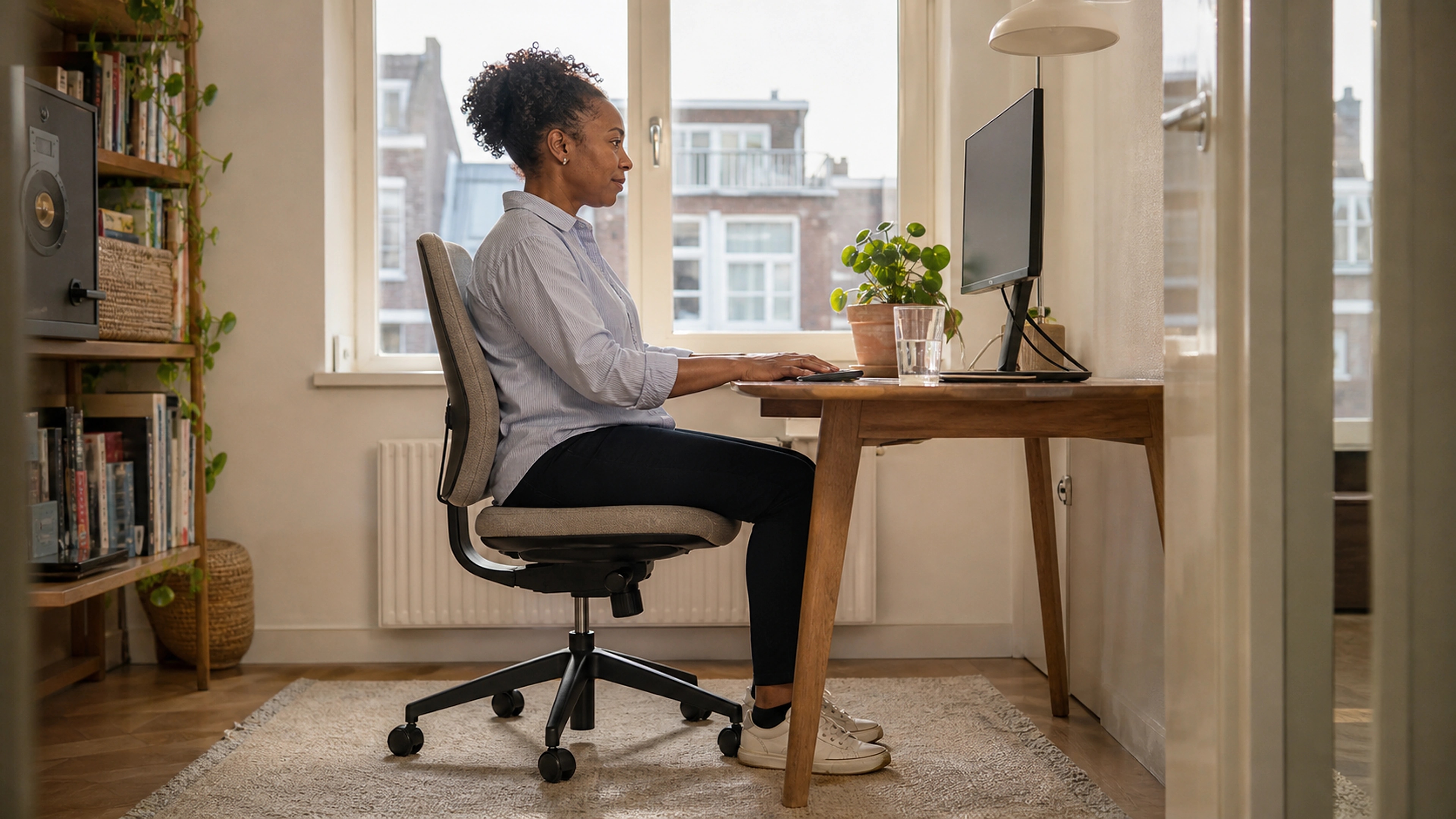

Sitting all day is hard on a sore lower back. When your spine loses its natural inward curve and your weight shifts onto the discs and joints, a long workday can turn a dull ache into a sharp, lasting one. The good news: how you sit is largely within your control. This guide walks through how to position your seat, support your lumbar curve and coccyx, and arrange your chair and desk so sitting takes pressure off your spine instead of adding to it.
Why sitting can make lower back pain worse
Your lumbar spine has a natural inward curve, called lordosis. When you stand, that curve is easy to maintain. When you sit, especially when you slump or perch on the edge of a seat, the pelvis tends to roll backward and the lumbar curve flattens or reverses. Research on spinal loading has long shown that unsupported, slumped sitting increases pressure inside the lumbar discs compared with standing or well-supported sitting. The fix is not to sit perfectly still in one "ideal" pose, but to set yourself up so a neutral, supported posture is the path of least resistance, and then to move regularly.
How to position your seat
Start with the chair itself before you worry about anything on the desk.
- Sit all the way back. Your hips should be at the rear of the seat so the backrest can actually support you. Perching forward leaves your lower back to hold itself up.
- Set the seat height so your feet rest flat. Knees should be roughly level with your hips or slightly lower. If your feet dangle, you lose stable support through the pelvis; if your knees ride high, the pelvis tucks under and the lumbar curve collapses.
- Leave a small gap behind your knees. Aim for two or three finger-widths between the front edge of the seat and the back of your knees so the seat pan does not dig into your legs.
- Use a slight recline. A backrest angled a little past vertical (often around 100 to 110 degrees) transfers some of your upper-body weight to the chair and reduces load on the lumbar discs compared with sitting bolt upright.
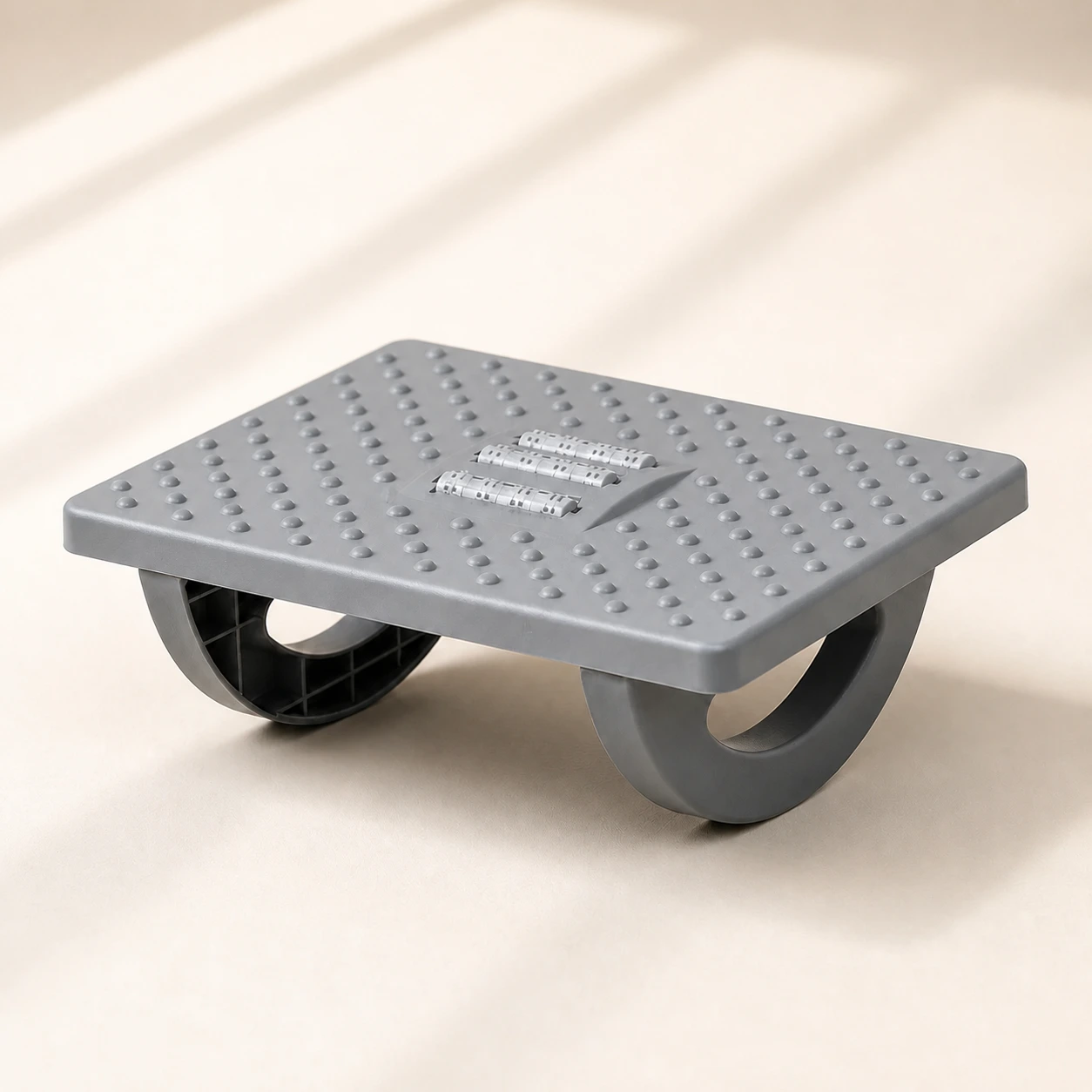 Product mentioned in this guideRollArc Rocking FootrestCompact gray footrest with twin curved supports for user-controlled rocking, a textured deck, and three central roller tracks.Free US shipping on every order60-Day Home Trial · we pay return shippingSee current price
If your feet do not reach the floor at the right seat height, a footrest or foot rocker restores a stable base and lets you keep gentle motion in your lower legs through the day.
Support your lumbar curve
The single most useful change for many people is adding support behind the lower back. The goal is to fill the gap between your lumbar spine and the backrest so the natural inward curve is held, rather than letting your back round into the chair.
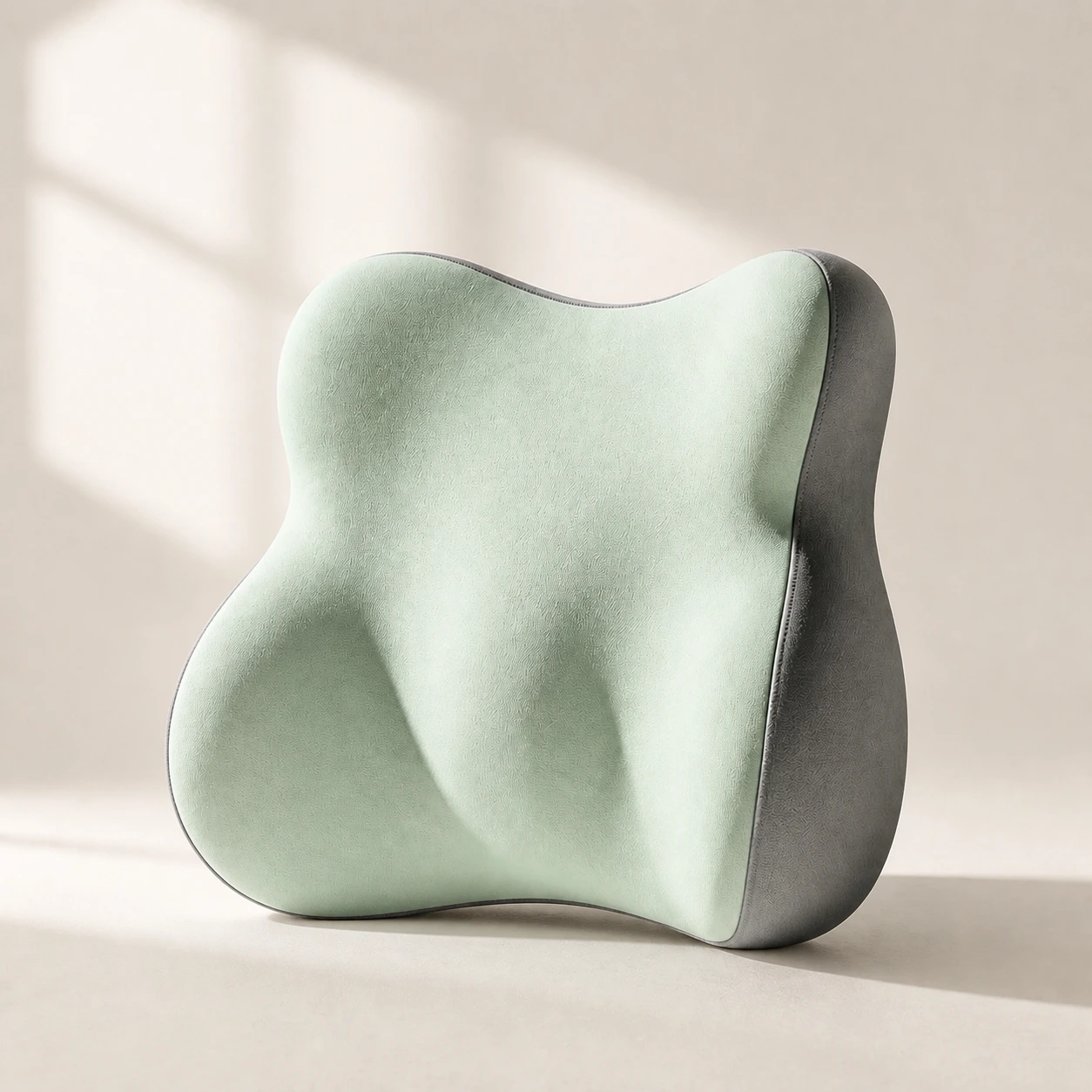 Product mentioned in this guideLumaWing Lumbar Cushion39 × 34 × 14 cm lumbar cushion available in four colours with a slow-rebound memory-foam core, fixed central ridge, recessed side channels, and broad outer…Free US shipping on every order60-Day Home Trial · we pay return shippingSee current price
A dedicated lumbar support pillow sits at belt height, roughly level with your navel at the back, and gently encourages the pelvis to stay neutral. Position it so it supports the curve without forcing you into an exaggerated arch. If it feels like it is shoving you forward, it is too high or too thick; slide it down or choose a thinner profile.
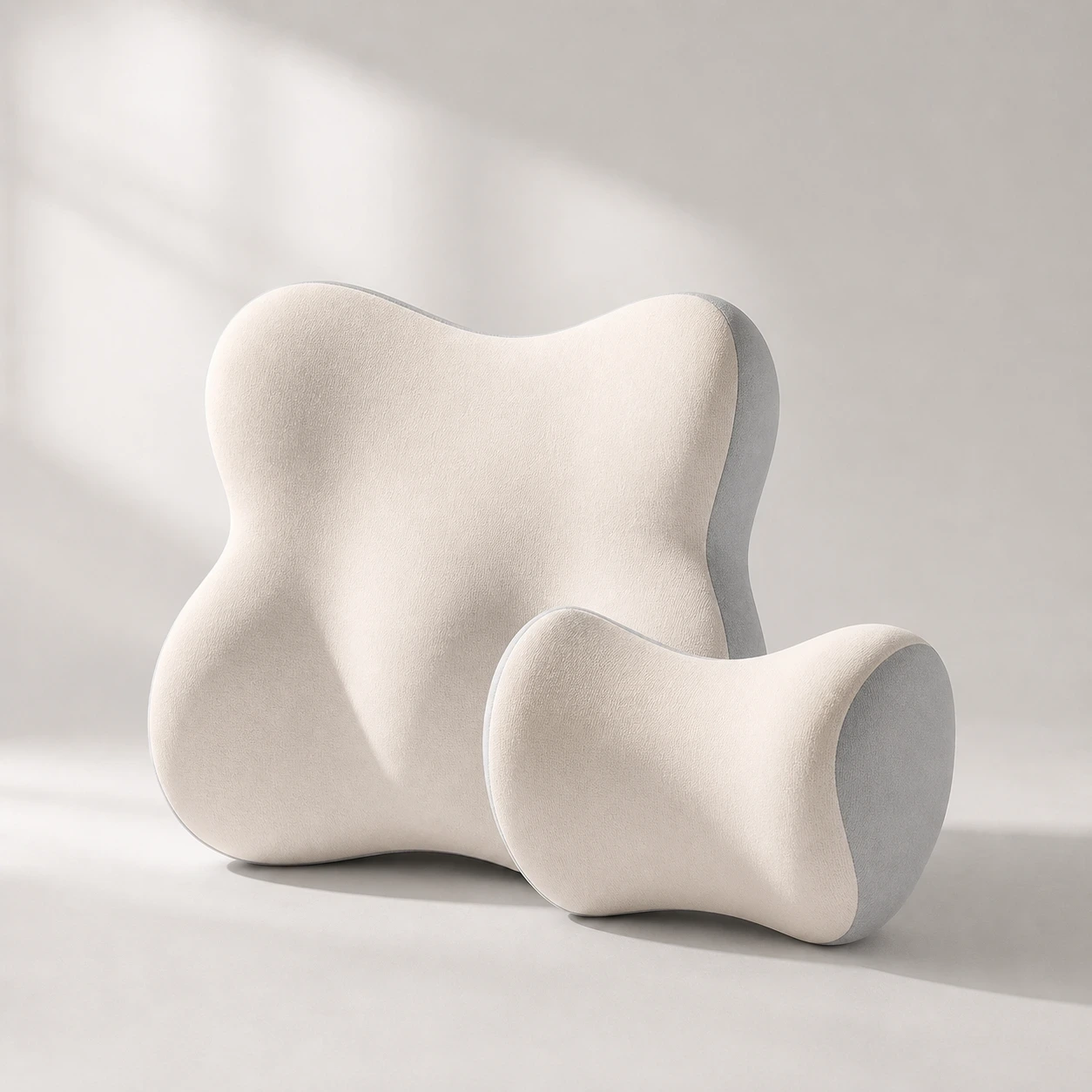 Product mentioned in this guideDriveNest DuoCar headrest and lumbar-cushion set available in four colours with 60D slow-rebound memory foam and two distinct contoured shapes.Free US shipping on every order60-Day Home Trial · we pay return shippingSee current price
The same principle applies in the car, where a fixed seat shape and long stretches behind the wheel can aggravate a sore back. A car lumbar pillow applies the same idea to the driver's seat.
Built-in lumbar support
Many ergonomic chairs include adjustable lumbar support. If yours does, set its height so it meets the small of your back and its depth so the curve feels supported but not pushed. A chair that already holds a neutral pelvis, like the LumaSpine Pro ergonomic office chair, can do much of this work for you.
Take pressure off your tailbone
Lower back pain often travels with discomfort at the tailbone, or coccyx, especially on hard or flat seats. If sitting puts pressure right at the base of your spine, a contoured cushion can redistribute weight onto the sit bones instead.
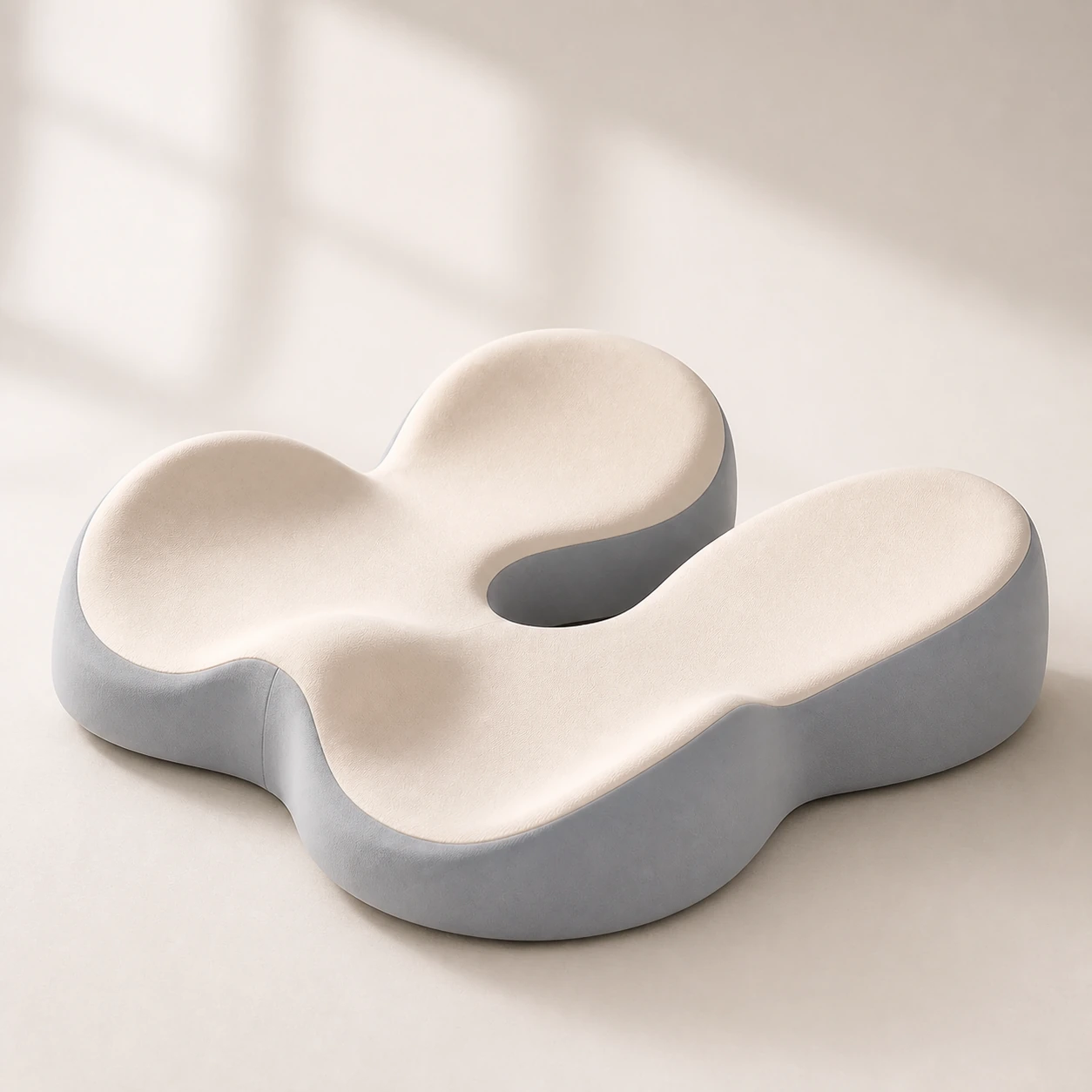 Product mentioned in this guideMemory Foam Seat CushionA sculpted seat cushion with a deep, open U-shaped rear channel designed to reduce direct contact beneath the coccyx and tailbone area. Raised rear…Free US shipping on every order60-Day Home Trial · we pay return shippingSee current price
A memory foam seat cushion with a coccyx cutout lifts pressure off the tailbone, while a firmer base helps keep the pelvis level. Choose density and shape based on how long you sit and how firm your existing seat is.
Set up your desk and screen
Good chair posture unravels quickly if the desk forces you to lean. Once your seat is dialed in, fit the desk to you rather than the other way around.
- Elbows near 90 degrees. Set desk or keyboard height so your forearms are roughly parallel to the floor and your shoulders stay relaxed, not hunched up toward your ears.
- Screen at eye level. The top of your monitor should sit at or just below eye height, about an arm's length away, so you are not craning forward or dropping your chin, which pulls the whole spine out of line.
- Keep frequently used items close. Repeated twisting and reaching loads the lower back. Bring the mouse, phone and notes into easy range.
- Consider standing for part of the day. Alternating between sitting and standing changes the load on your spine and breaks up long static periods.
Move, don't freeze
No posture is healthy if you hold it for hours. The best position is generally your next position. Stand, stretch or walk for a minute or two every half hour or so. Small, regular movement keeps the discs nourished, the muscles from stiffening, and the joints from loading in one spot all day. A supportive setup makes it easier to return to a neutral posture each time you sit back down.
When to seek help
Most desk-related lower back pain eases with better positioning, support and movement. See a clinician promptly if your pain is severe, follows an injury, or comes with leg weakness, numbness, tingling, or loss of bladder or bowel control. This guide is general information, not a substitute for individualized medical advice.
A quick setup checklist
- Hips at the back of the seat, feet flat, knees level with or just below the hips.
- Lumbar support filling the curve of your lower back at belt height.
- Backrest reclined slightly past vertical to share your weight.
- Coccyx relieved with a contoured cushion if your seat is hard or flat.
- Elbows near 90 degrees, screen at eye level, key items within reach.
- A short movement break every 30 minutes or so.
