
Skip to content

Free US shipping on every order

Reviews on Trustpilot

How-To Guides

How to Position Lumbar Support on an Office Chair

Greta ŠimkutėGreta ŠimkutėErgonomics specialist

Learn where lumbar support should sit on an office chair, how high to place it, how to secure it and how to check the fit.

Editorial photograph illustrating How to Position Lumbar Support on an Office Chair

Shop the gear in this guide

The exact products this guide recommends — each covered by the 60-Day Home Trial.

Key takeaways

Start near the inward curve of your lower back and adjust for your own chair.
Use the specific product's attachment method, if it has one.
Validate fit during normal seated use, not just a quick sit-down.
Editorial photograph illustrating Finding your natural lumbar curve

Finding your natural lumbar curve

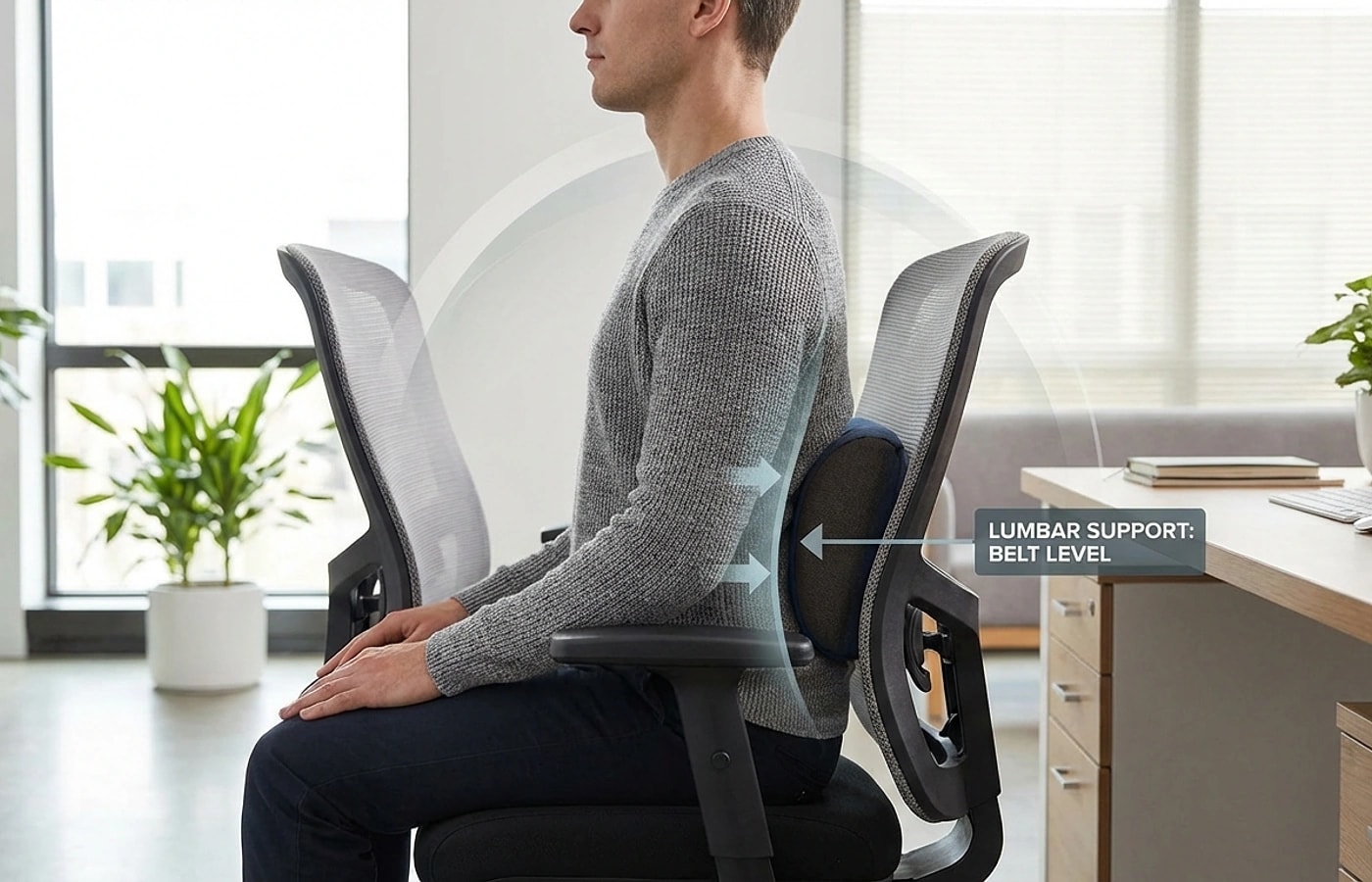
Your lower back has an inward curve between the ribcage and pelvis. A support often feels more natural near that curve than against the mid-back or tailbone, but exact height depends on your body and chair.

To find the right spot, stand up straight and place your hands on your lower back with thumbs pointing inward. The area where your spine curves furthest forward is your target zone. When you sit down, the support should fill that gap between your back and the chair — not push you forward, but maintain the curve that standing posture naturally creates.

  • Start near the lower-back curve, roughly around belt height
  • The curve should feel supported, not pushed or forced
  • Stand first to identify the natural curve, then match it seated
  • If support contacts your mid-back or tailbone, reposition immediately

Editorial photograph illustrating Check how this support stays in place

Check how this support stays in place

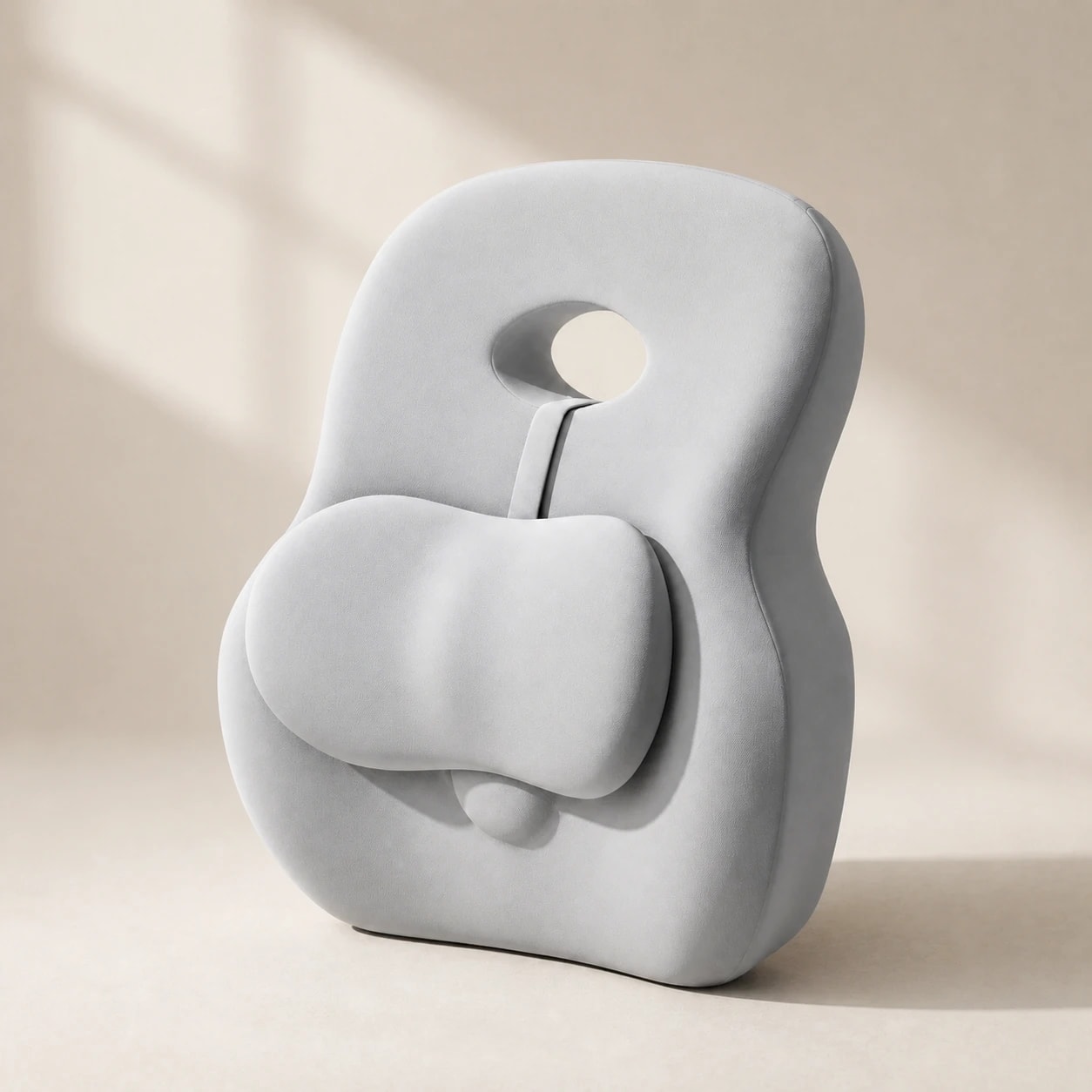
Attachment varies by model. If your support has a strap, follow its instructions and make sure the strap does not damage the chair or interfere with a control. Some supports are held in place by the shape of the backrest and your body instead; those need a separate stability check.

Sit, lean back, and stand up as you normally would. If the support slides, check the product's documented attachment options and whether the chair back is suitable. Do not thread straps through chair mesh or add adhesive unless the chair and product manufacturers allow it.

  • Check whether your exact model has a strap, another attachment, or no attachment
  • Follow both the support and chair instructions for any fastening method
  • Test for sliding during normal sitting, leaning, and standing
  • Avoid attachments that damage upholstery or cover chair controls
Editorial photograph illustrating Adjusting for different seat types

Adjusting for different seat types

Office chairs, car seats, and gaming chairs have different back angles, seat depths, and recline behavior. Recheck the contact point and usable seat depth in each seat rather than transferring a fixed height or attachment rule.

Gaming chairs with built-in lumbar pillows often position support too high for shorter users. If your chair came with a lumbar pillow that never felt right, check whether the contact point is above your belt line — if so, remove it and use a standalone support at the correct height. For any seat type, the validation rule is the same: your shoulders should rest naturally without being pushed forward, and your lower back should feel gentle pressure without any gap.

  • Office chairs: compare support depth with the chair's usable seat depth
  • Car seats: check attachment, controls, belt fit, and safe driving position while parked
  • Gaming chairs: check built-in support and side-bolster clearance
Editorial photograph illustrating The 30-minute validation test

The 30-minute validation test

A quick sit-down may miss problems that show up during normal use. Try the support while reading or working, and notice whether it pushes your shoulders forward, creates a pressure point, or shifts out of place. Stop if it makes discomfort worse.

If the support feels wrong, change one thing at a time: height, backrest adjustment, or support depth. Keep the setup that feels stable without forcing your posture. The 30-minute check below is a practical self-check, not a validated clinical test.

  • Test for a full 30 minutes of normal seated activity
  • Watch for shoulder movement, pressure points, or shifting
  • Change one fit variable at a time and retest
  • Do not keep using a setup that increases discomfort
Editorial photograph illustrating Maintaining correct position long-term

Maintaining correct position long-term

Recheck the contact point after changing chair settings or moving the support to another seat. If your model has an attachment, inspect it according to the product instructions; if it does not, check whether it remains stable on the chair.

If a foam support loses its shape or its cover is damaged, check the individual product's care and warranty information. We do not have a verified universal lifespan for the different support formats in this collection.

  • Recheck contact after changing your chair or moving the support
  • Inspect attachment only if your specific model has one
  • Use the model's care and warranty guidance for damage or wear
  • Do not assume the same lifespan for foam and non-foam supports

Frequently asked questions

How high should lumbar support sit?

Start near the inward curve of your lower back, often around belt height, and adjust for your own chair and comfort. Avoid a position that creates a new pressure point.

Should lumbar support feel aggressive or forceful?

No — it should feel present and stable, maintaining your natural curve without pushing your torso forward. If it feels forceful, the profile depth is too aggressive or the position is wrong.

How long should I test before adjusting?

Try the support during normal seated use, stop if it increases discomfort, and change one fit variable at a time. A 30-minute check is a practical self-check, not a clinical test.

Can I use the same positioning for office and car?

Recheck fit in each seat. A car setup must also preserve belt position, controls, and safe driving posture; not every office support is suitable for a vehicle.

How often should I check my lumbar support position?

Recheck whenever you change chair settings, move the support, or notice it shifting. Inspect the attachment if your particular model has one.

Greta Šimkutė

Written by

Greta Šimkutė

Ergonomics & workspace-setup specialist · writing for Ergola since 2024

Greta Šimkutė is an ergonomics specialist who writes Ergola's posture and workspace guides. She focuses on the practical side of sitting-related back, neck, and hip strain - how desk height, lumbar support, and chair fit actually change all-day comfort - and tests products against the criteria that matter, not spec sheets. She has covered ergonomic furniture and desk setups since 2024.

Related guides

Explore these guides to learn more and find the right solution for your needs.