
30-day money back guarantee | Spring sale — 40% off + free shipping

Kaip tai padaryti gidai

How to Position Lumbar Support

Step-by-step guide to position lumbar support correctly for office chairs, car seats, and gaming chairs. Learn the exact placement, strap technique, and validation checks for all-day comfort.

How to Position Lumbar Support

Pagrindiniai patarimai

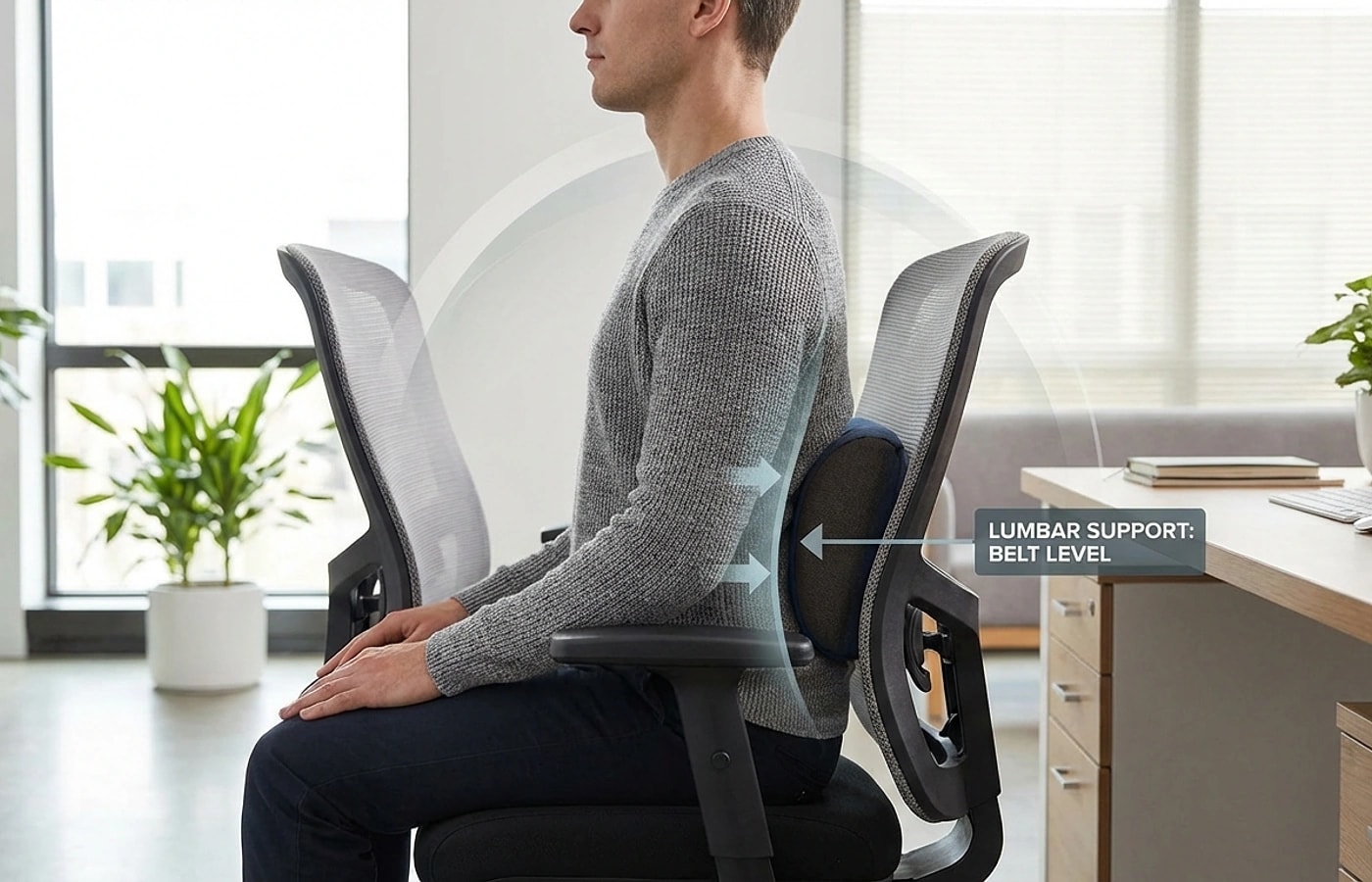
Position support at the natural inward curve between L3 and L5 vertebrae.
Secure with straps before sitting fully — adjust height in small increments only.
Validate fit with a 30-minute seated block, not a quick sit-down test.
Finding your natural lumbar curve

Finding your natural lumbar curve

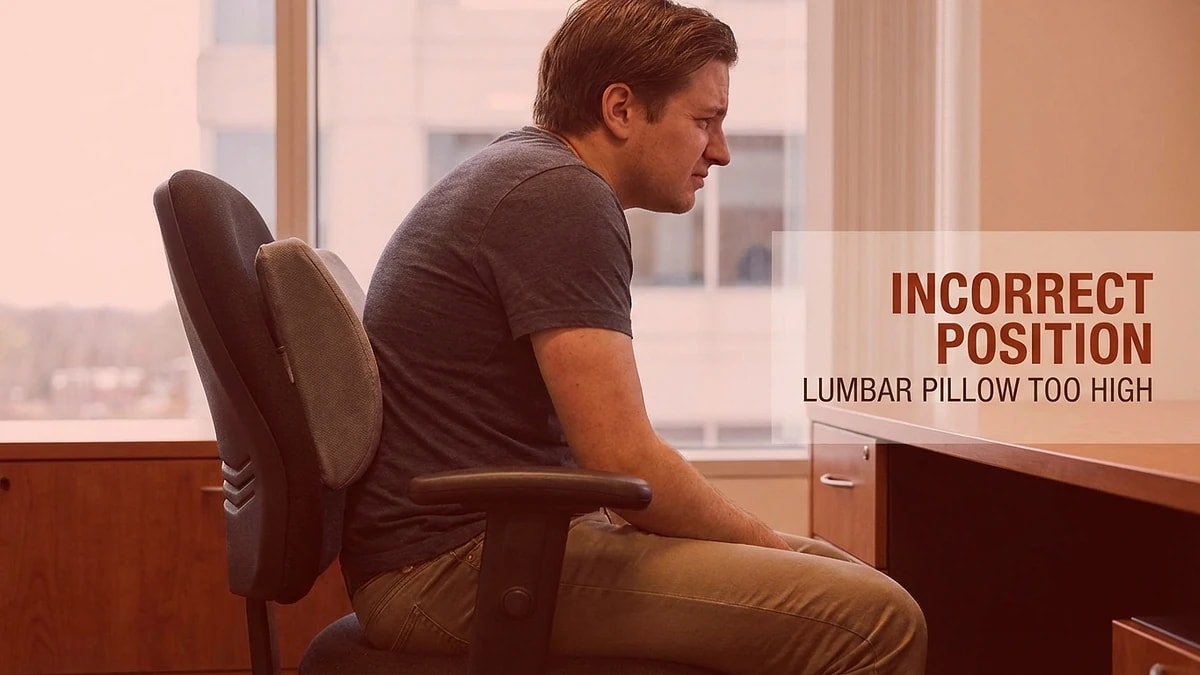
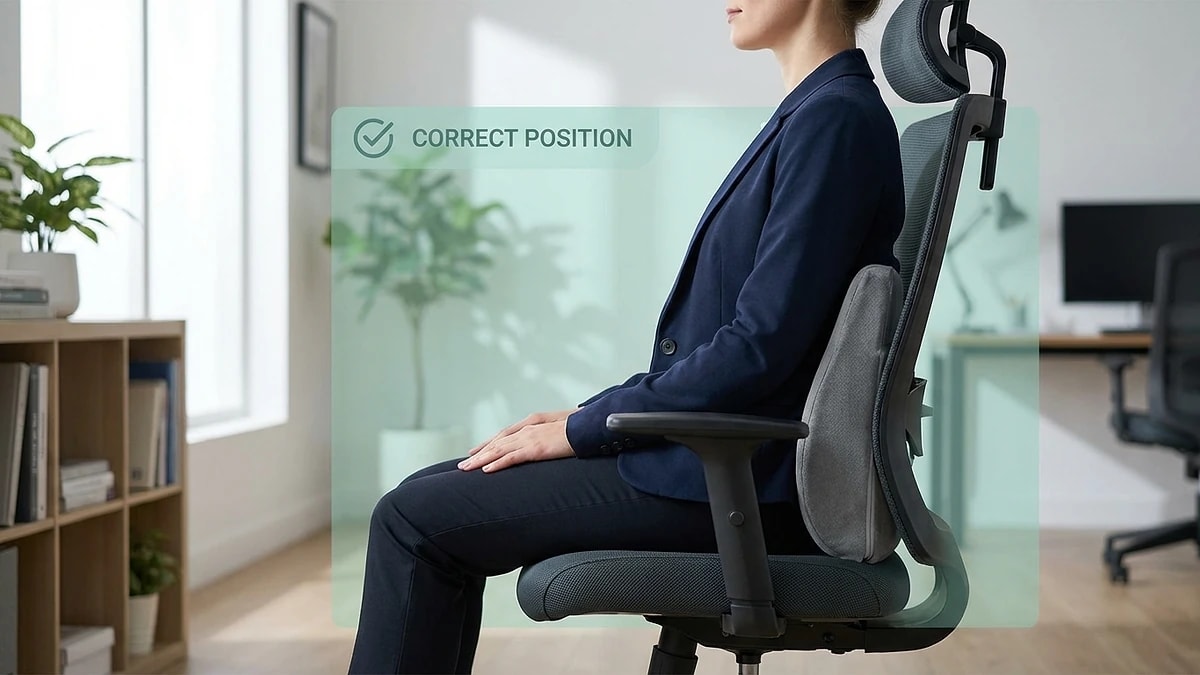
Your lumbar spine has a natural inward curve located between the bottom of your ribcage and the top of your pelvis — roughly at belt height. This is the L3 to L5 region, and it is where lumbar support should make contact. Many people place support too high near the mid-back or too low near the tailbone, which creates pressure in the wrong area and makes the pillow feel uncomfortable regardless of quality.

To find the right spot, stand up straight and place your hands on your lower back with thumbs pointing inward. The area where your spine curves furthest forward is your target zone. When you sit down, the support should fill that gap between your back and the chair — not push you forward, but maintain the curve that standing posture naturally creates.

  • Target the L3-L5 region — roughly at belt line height
  • The curve should feel supported, not pushed or forced
  • Stand first to identify the natural curve, then match it seated
  • If support contacts your mid-back or tailbone, reposition immediately
Securing the support to your chair

Securing the support to your chair

Strap placement determines whether your lumbar support stays in position throughout the day or slowly drifts downward. Thread the strap around the chair back at the same height as the pillow center — not at the top or bottom edge. Tighten until the support holds its position when you lean back, but do not crank it so tight that the pillow compresses against the chair frame and loses its contour.

For chairs without a solid back panel — like open-mesh office chairs — route the strap through the mesh and anchor it against the frame. If the strap slides on smooth chair surfaces, a small non-slip pad between the strap and chair back eliminates drift. The goal is zero repositioning during a full work session.

  • Thread the strap at pillow center height, not the edges
  • Tighten enough to prevent drift, not enough to compress foam
  • Use non-slip pads on smooth or leather chair surfaces
  • Test strap hold by leaning back firmly before starting work
Adjusting for different seat types

Adjusting for different seat types

Office chairs, car seats, and gaming chairs all have different back angles, seat depths, and recline behaviors — and each requires slight positioning changes. Office task chairs with upright backs usually need the support placed slightly lower, while car seats with a reclined angle may need the support moved up by one to two centimeters to maintain curve contact as your torso tilts back.

Gaming chairs with built-in lumbar pillows often position support too high for shorter users. If your chair came with a lumbar pillow that never felt right, check whether the contact point is above your belt line — if so, remove it and use a standalone support at the correct height. For any seat type, the validation rule is the same: your shoulders should rest naturally without being pushed forward, and your lower back should feel gentle pressure without any gap.

  • Office chairs: place slightly lower due to upright back angle
  • Car seats: shift up 1-2cm to compensate for seat recline
  • Gaming chairs: built-in pillows often sit too high — reposition or replace
The 30-minute validation test

The 30-minute validation test

A quick five-second sit-down tells you almost nothing about lumbar support positioning. Real validation requires at least 30 minutes of normal activity — typing, reading, or driving — because early discomfort signals often take 15 to 20 minutes to appear. During the test, pay attention to three things: whether your shoulders are creeping forward, whether you feel pressure points instead of even contact, and whether you catch yourself leaning away from the support.

After the test, rate your comfort honestly. If your lower back feels supported without tension and you did not reposition the pillow during the session, the placement is correct. If you felt pressure in a specific spot or repositioned more than once, adjust by one centimeter up or down and retest. Most people find their ideal position within two or three test sessions.

  • Test for a full 30 minutes of normal seated activity
  • Watch for shoulder creep, pressure points, or leaning away
  • Adjust by 1cm increments between test sessions
  • Expect to find ideal position within 2-3 sessions
Maintaining correct position long-term

Maintaining correct position long-term

Once you have found the right position, the main threat to consistency is gradual drift — the support slowly slides down during the day, or you unconsciously shift your sitting position after lunch. A weekly position check takes ten seconds: stand up, confirm the support center is still at belt height, re-tighten the strap if needed, and sit back down. Building this into your Monday morning routine prevents the slow degradation that most people never notice until discomfort returns.

Replace the support when it no longer rebounds to its original shape after you stand up. Memory foam typically lasts 18 to 24 months with daily use before compression becomes permanent. If you notice that you are tightening the strap more frequently or adding extra padding behind the pillow, these are signals that the foam core has lost its effective support depth.

  • Run a 10-second position check weekly — Monday mornings work well
  • Re-tighten straps if the pillow has drifted below belt line
  • Replace when foam no longer rebounds after standing
  • Memory foam typically lasts 18-24 months with daily use

Dazniausiai uzduodami klausimai

How high should lumbar support sit?

At the natural inward curve of your lower back, roughly at belt line height between the L3 and L5 vertebrae. If it contacts your mid-back or tailbone, it is too high or too low.

Should lumbar support feel aggressive or forceful?

No — it should feel present and stable, maintaining your natural curve without pushing your torso forward. If it feels forceful, the profile depth is too aggressive or the position is wrong.

How long should I test before adjusting?

Give each position at least 30 minutes of normal seated activity. Quick sit-down tests miss the discomfort signals that develop after 15 to 20 minutes.

Can I use the same positioning for office and car?

The target zone is the same, but car seats require the support slightly higher to compensate for seat recline. Re-validate when switching between seat types.

How often should I check my lumbar support position?

A quick weekly check prevents gradual drift. Confirm the center is at belt height and the strap is firm — this takes about ten seconds.

Susije gidai

Naršykite šiuos gidus, kad sužinotumėte daugiau ir rastumėte tinkamą sprendimą.